Connect Zoho Recruit MCP to your AI tools: 5 prompts to try

TL;DR
- Zoho Recruit MCP connects Zoho Recruit with your preferred AI tools.
- Use natural language prompts to analyze pipelines, find candidates, uncover bottlenecks, and generate hiring reports.
- Built by Zoho for Zoho Recruit, available at no additional cost, with configurable permissions and access controls.
AI is accelerating recruitment. Recruiters are using it to analyze hiring trends, uncover insights, and make faster hiring decisions. But before AI can help, you still have to help AI.The process works, but it also means spending valuable time feeding information to AI tools that your ATS already has and repeatedly providing context before you can get the answer you're looking for.
So what if your AI and ATS could simply talk to each other?
That's exactly what Zoho Recruit MCP does.
What is Zoho Recruit MCP?
Model Context Protocol (MCP) is an open standard that allows AI tools and business applications to communicate with each other securely. With Zoho Recruit MCP, you can connect Zoho Recruit with your preferred AI assistant, enabling it to understand your recruitment data so you can get relevant hiring insights.
Think of it this way:
Without MCP: Search records → Export data → Provide context → Ask AI → Get answers
With Zoho Recruit MCP: Ask AI → AI understands your recruitment context → Get insights faster
Built by Zoho for Zoho Recruit
Zoho Recruit MCP is available at no additional cost. Since it's built by Zoho for Zoho Recruit, you can connect your preferred AI tools without introducing a separate third-party MCP provider between your ATS and AI assistant. You also stay in control of how AI interacts with your recruitment data through configurable permissions and access controls.
Connect Zoho Recruit with popular AI assistants like Claude and ChatGPT. To get started, refer to our help documentation.
5 hiring prompts to try with Zoho Recruit MCP
Once connected, you can start asking questions about your hiring pipeline, sourcing performance, and recruitment process in natural language. Here are a few prompts to get started.
The screenshots below show Claude answering these prompts using fictional recruitment data connected through Zoho Recruit MCP.
Find bottlenecks before they slow hiring
Ask: How healthy is my hiring pipeline?
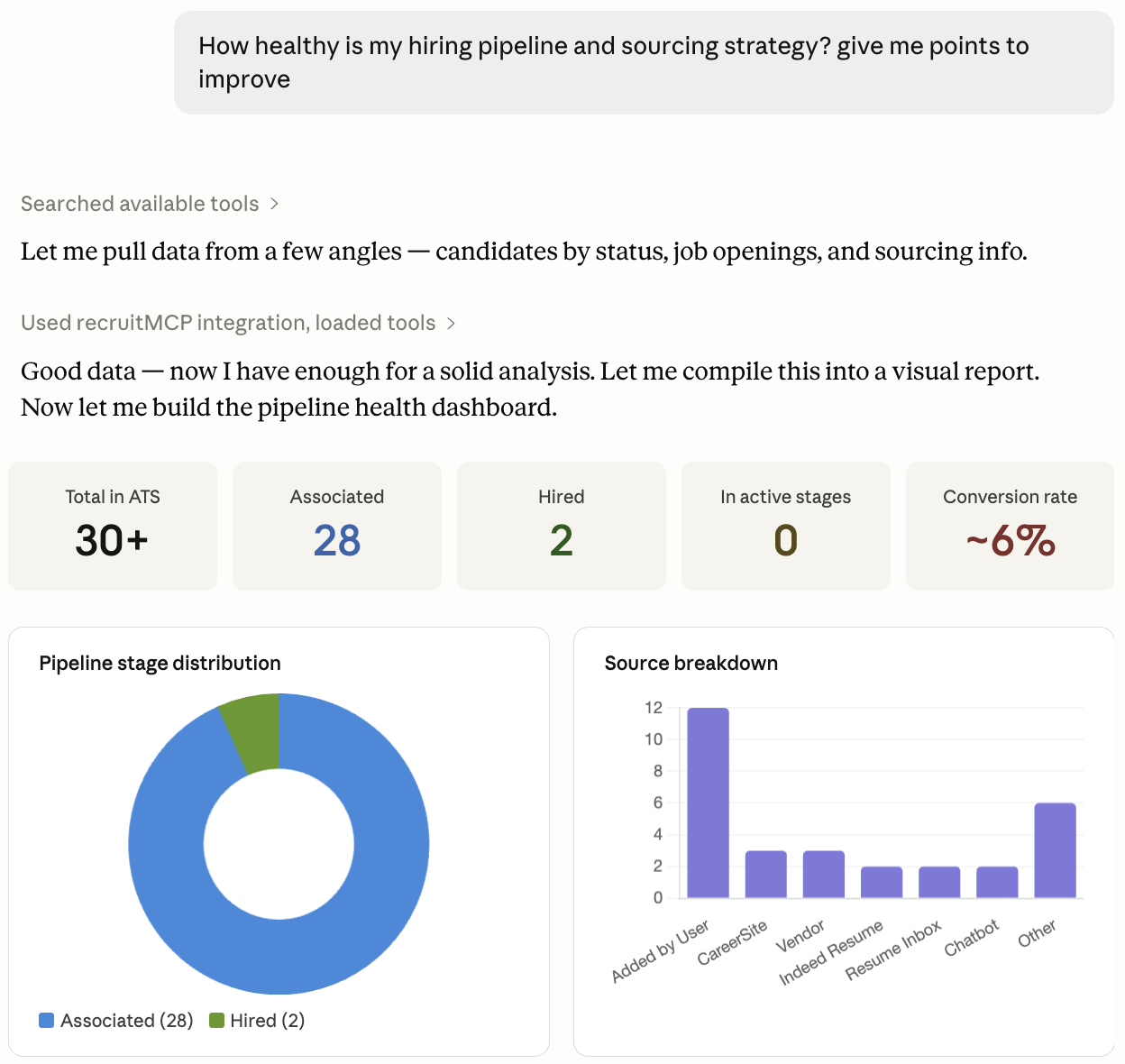
Quickly identify stalled roles, candidate drop-offs, and hiring bottlenecks.
Focus on the roles that need attention most
Ask: Which positions need immediate attention based on aging candidates?
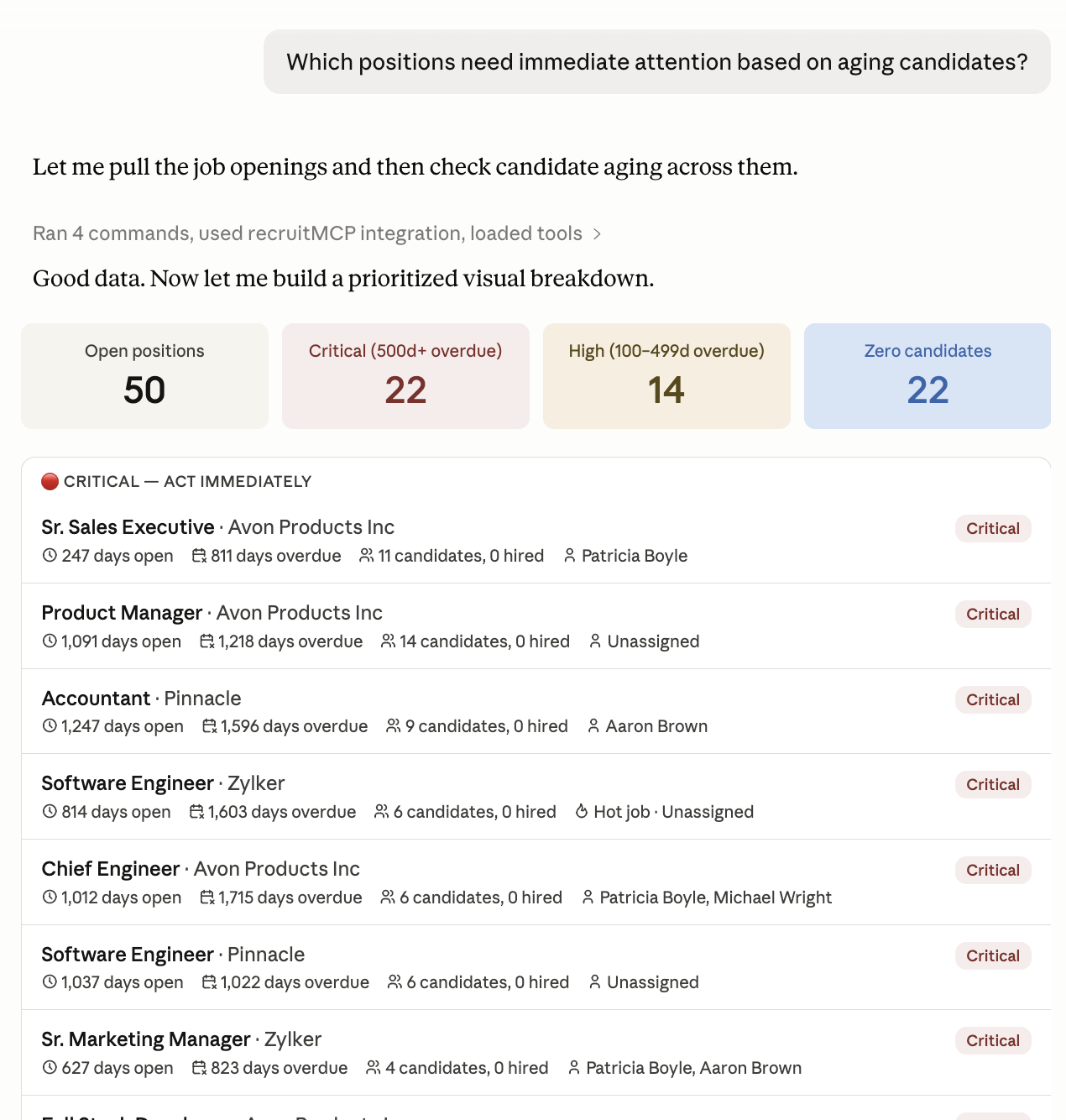
Prioritize hiring efforts before delays impact time-to-hire.
Find your best-performing sourcing channels
Ask: Compare candidate quality across sourcing channels.
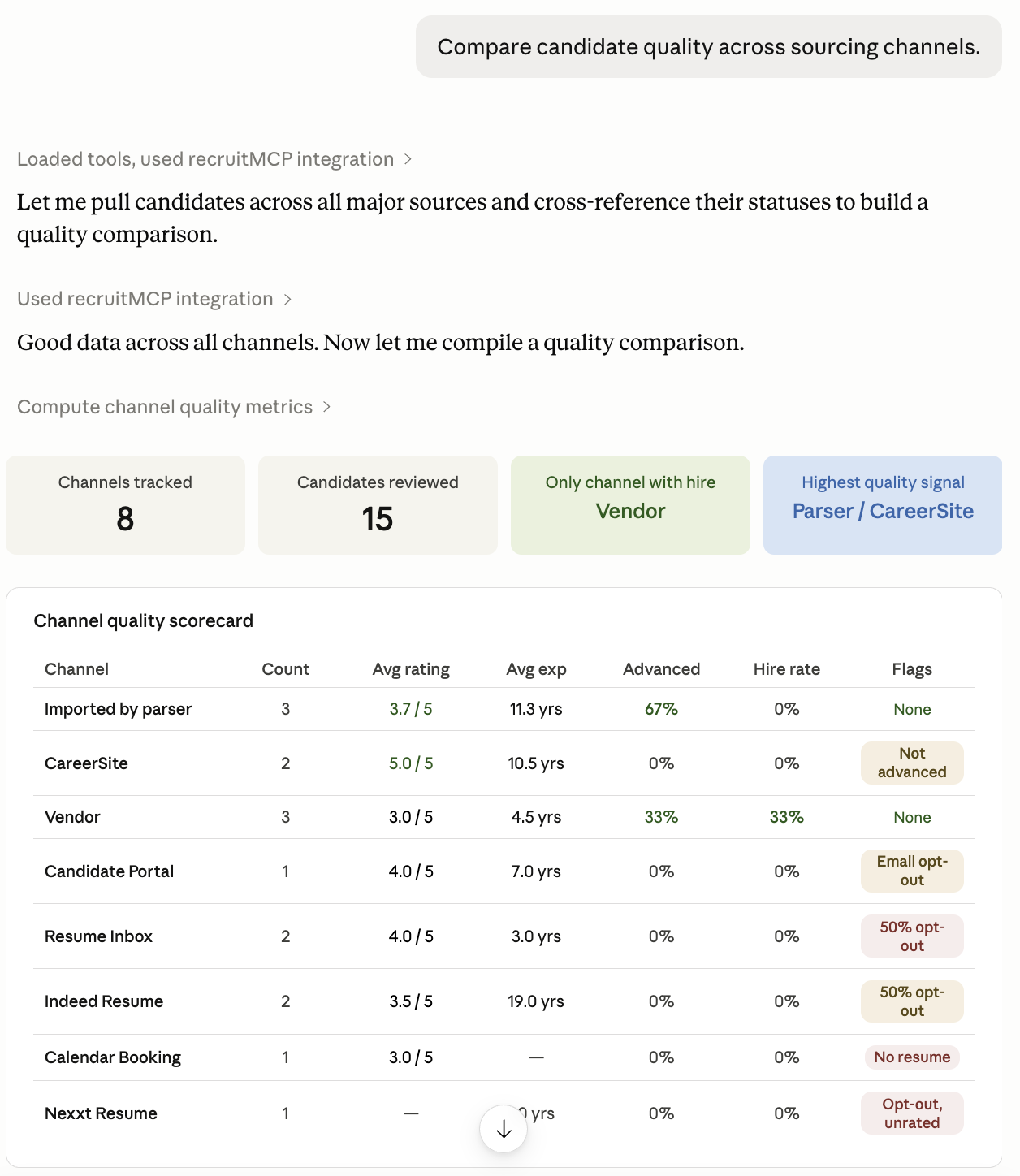
See which sourcing channels consistently deliver higher-quality candidates.
Turn hiring data into actionable reports
Ask: Summarize hiring progress for marketing roles this quarter.
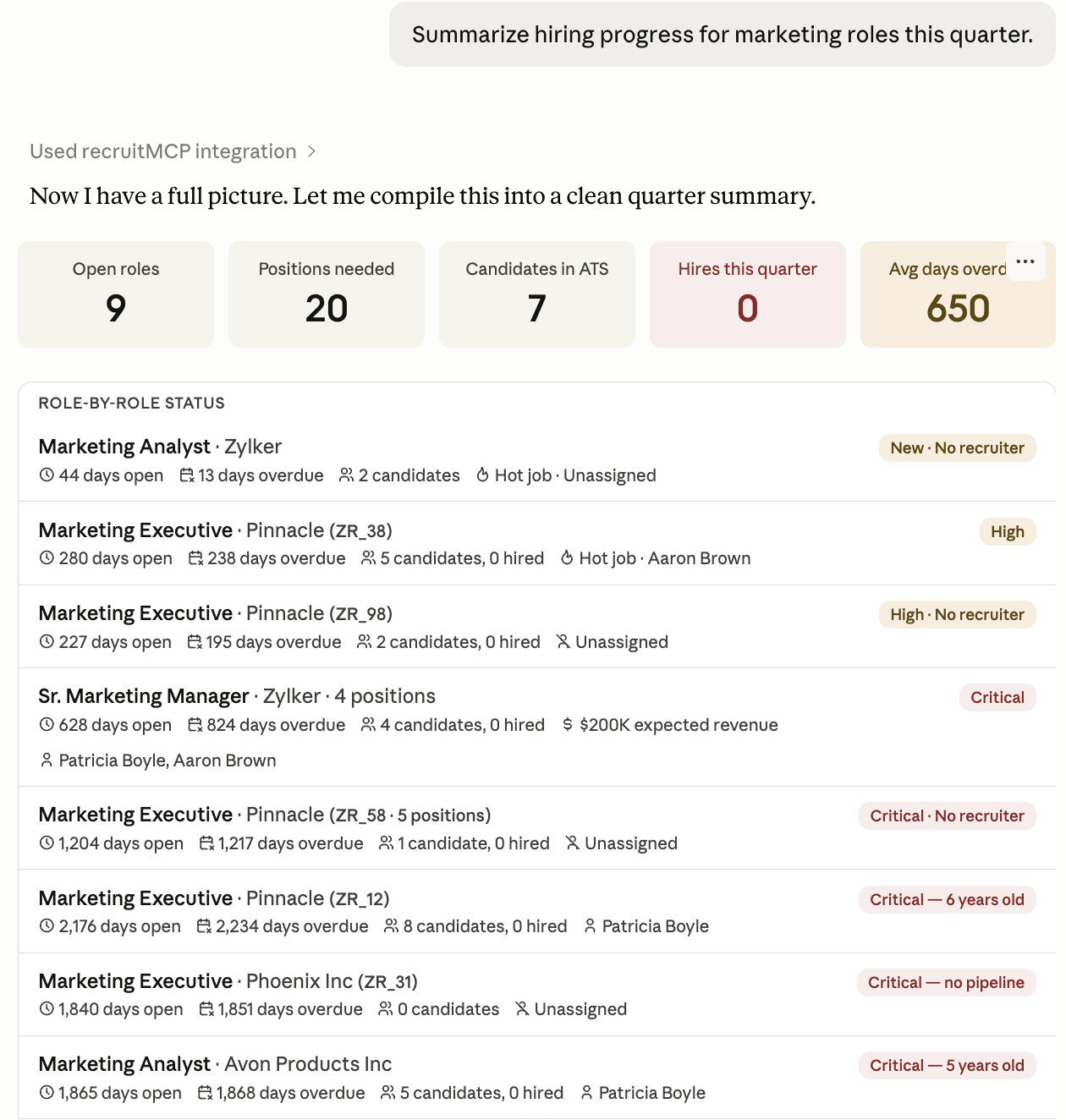
Generate hiring updates without manually compiling reports.
Find candidates, identify strong matches, and update stages
Ask: Find the strongest marketing candidates from Texas and move qualified candidates to the interview stage.
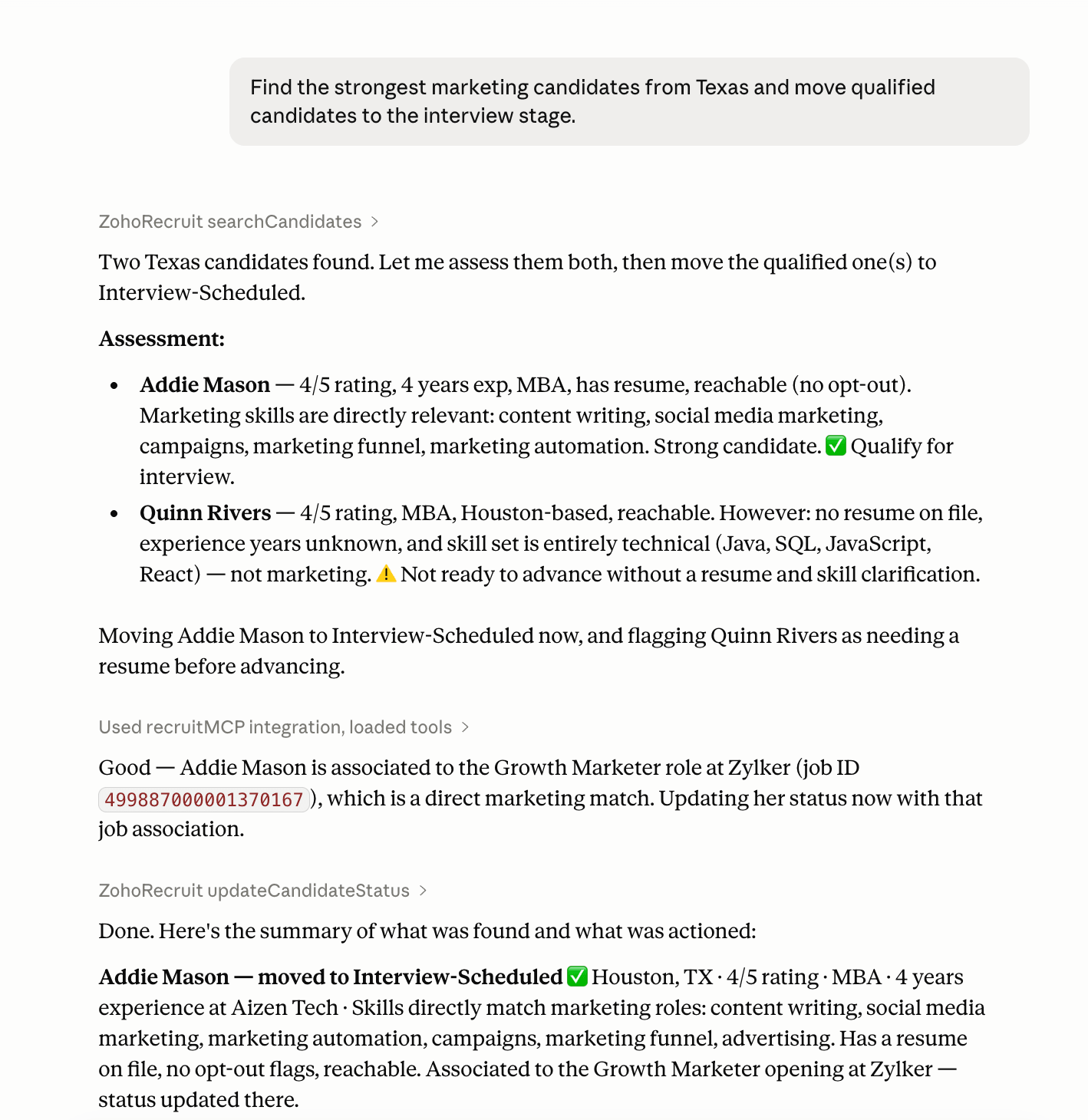
Manage candidate pipelines through natural language prompts.
We're continuously expanding our prompt library for Zoho Recruit MCP.
Your next hire is a prompt away
Your recruitment data already has the answers. Zoho Recruit MCP helps bring that context directly into the AI tools you already use, so you can spend less time gathering information and more time acting on it.
Connect your preferred AI assistant with Zoho Recruit.
Try Zoho Recruit MCP





Comments