AI in finance: Real features based on real insights

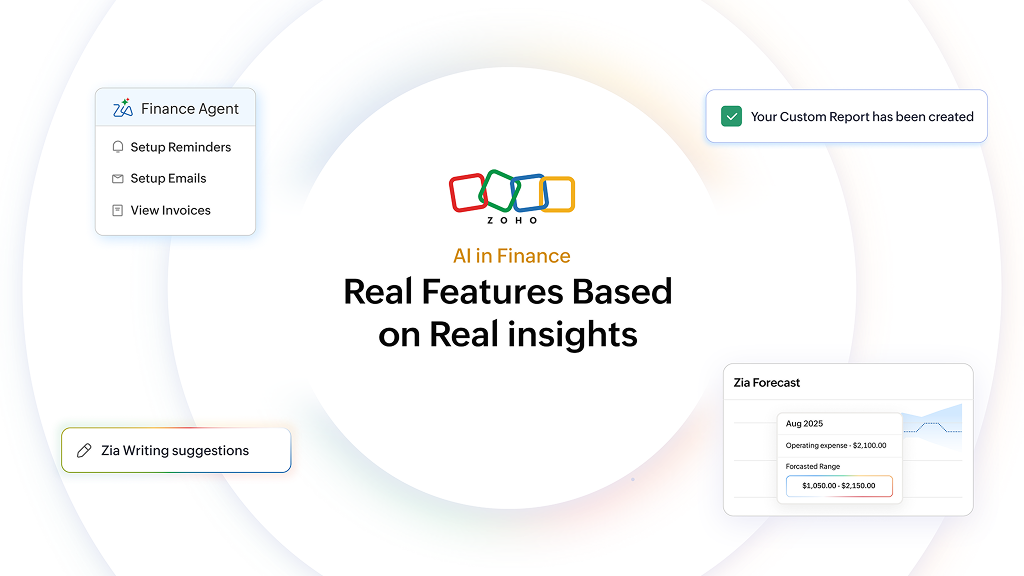
AI in finance is not a headline for us. It is the next step in practical accounting and finance operations shaped by real customer needs and steady research and development.
First things first. Thanks to every Zoho Finance Suite user. It is your steady support that has led to this update. At Zoho, we do not see artificial intelligence as a trend to chase or a wave to ride. Instead, we chose to listen, weigh real finance needs, and ship features that improve everyday operations without opportunistic price hikes commonly seen across the market.
Zoho has always put customer interests first, alongside consistent R&D that looks past the buzz. This AI update reflects just that. We are introducing practical AI capabilities in the Zoho Finance Suite shaped by real workflows, tested with real teams, and rolled out deliberately.
AI in Zoho Finance solutions: How it just fits
The aspiration for AI in the Zoho Finance Suite of Solutions is to fit into your finance workflow and operations without taking up your whole screen. Finance and operations in your back office work best when they follow a rhythm, from seeing what’s happening, and getting answers to taking timely actions and keeping the flow steady.
Our AI capabilities will amplify this rhythm. They will bring better visibility into your business, surface priorities and anomalies faster, help teams move from decision to action without switching context (or the screen), and design predictable automated operations so you can save time where it counts.
From here, let’s dive into the features to see how your Zoho Finance Suite will help you do just that.
Get answers: Ask Zia
Live: Zoho Books, Zoho Billing
Ask Zia does what people have always expected from AI in finance: answer your questions and let you act on it immediately. It’s your virtual assistant grounded in your organization’s data, helping you move from “what’s happening” to “here’s what to do.”
Ask natural questions and get contextual answers with quick links to trigger actions and fetch information. It does not stop there, you can also follow up with operations like "Create," "Mark as sent," or "Write off" directly from the response.
To put it into context, your queries can look like this:
“How does my cash flow look?”
“Which invoices will be overdue in five days?”
“Is my profit on track this quarter?”
“What is my profit & loss status?”
Or actions like:
“Create a customer {CustomerName} with email {Customer Email}”
“Mark this Invoice {InvoiceNumber} as sent”
”Send payment reminder email for Invoice - {Invoice Number}”
“WriteOff the Invoice {InvoiceNumber}”
And, Zia will answer or better, act!
See your business at a glance
Reports: Insights, anomaly detection, and forecasting
Get quick plain‑English insights, anomaly alerts, and forward‑looking forecasts in one place.
Live: Zoho Books, Zoho Billing, and Zoho Inventory
The AI features under the Reports module sharpen your decision-making by helping you get more out of your reports. Perform actions from extracting more information from visualization to finding anomalies, forecasting trends, and surfacing actionable insights.
Before we get into the AI features under reports, let’s zoom out to another Reports module feature: the Chart View. This turns tables into graphs. When you switch to Chart View, you can set your X and Y axes, and toggle chart types to spot trends at a glance.
From the Chart View, you can access the AI features "anomaly detection" and "forecasting."
Anomaly detection
Get a spotlight on anomalies like any unusual spikes or drops in your chart. Quickly zero in on outliers and investigate faster with this AI-based anomaly detection. A click on the inflection point shows what’s expected and how far the deviation is, so you don’t have to separately compute what’s off.
Forecasting
Get an AI-projected sketch of the road ahead from your history. See forward-looking projections right in your report. Follow along with projections to see expected trajectories grounded by a variance range. This leaves little to guess work for your conservative and optimistic plans for the future, all thanks to AI.
Zia Summary
See your business at a glance with forecasts and action pointers you can trust.
Early Access: Zoho Books
In addition to the default and any custom dashboards, the AI Summary Dashboard adds an auto-generated tab that pulls key metrics from profit and loss reports, cash flow, receivables, and payables into one single place. This highlights relevant numbers, anomalies, and trends across your operations to give you a quick head start, before you take deep dives into the numbers.
For instance, your profit and loss insights will give you net profit trajectory with notable time periods highlighted. The cash flow prediction can give you projected balances and trend guidance for the upcoming months.
The receivables and payables insights can give you the current versus overdue statements, days‑to‑pay, near‑term dues, or vendor concentration risk. This also comes with quick actions or suggestions to improve the DSO and payments in general.
Execute with AI
Next up, AI features that help you move smoothly from decisions to action. From managing collections and email workflows to supporting financial reconciliation, these tools are designed to make everyday tasks more precise and efficient.
Invoicing agent
Live: Zoho Books, Zoho Inventory, and Zoho Billing
Get a smart summary right in your Invoice module to flag high‑risk customers, totals, and what’s overdue. Here’s where the action comes into picture: it lets you jump straight into bulk reminders with on‑brand emails. This gives you a faster path to collections, grounded in your payment history, and designed to cut DSO (Days Sales Outstanding) without hopping between reports or dashboards.
Email with Zia
Live: Supported in Zoho Books, Zoho Invoice, Zoho Inventory, Zoho Billing, and Zoho Commerce
Generate consistent, professional emails from a simple prompt, then refine the tone or structure in seconds. Use it to standardize templates for your automated and routine messages so communication stays clear, professional, and effective.
AI for categorizing bank statements
Early Access: Zoho Books
Your manual categorization gets lighter with Zia assisted pre‑filled fields (contact, amount, type) based on past patterns so you can quickly review (tweak, if needed) and save statements. The control stays with the accounting team while the busywork is delegated to the AI.
Design your finance workflow
Orchestrate how work moves. These AI tools help back‑office operations create, enrich, and orchestrate processes so finance runs predictably and faster.
CoCreate: Create with a prompt
Live: Zoho Books and Zoho Billing Enterprise Edition
Turn prompts into professional transaction documents (invoices, quotes, sales orders, and credit notes) and customized reports. For example, if you ask, “Create an invoice for John for two bikes priced at 300 each,” you will see line items, customer details, amounts, and taxes mapped in a real‑time preview. If you see something you want to change, take control of the creation by stepping in.
CoCreate works in the custom report builder by taking your prompt to pick parent-child modules and arrange data into a custom report. Here, again, you can stop the creation mid-way and make changes, if required.
AI Custom Fields: Enrich your data
Live: All Zoho Finance Suite of apps supporting custom fields
Custom field creation is one of the most popularly adopted features. Customers find great value in easily capturing unique, contextual data their businesses run on.
Now with AI custom fields, we are further enhancing the feature, making it faster, smarter, and more contextual. You can use the AI custom fields for:
Keyword extraction
Sentiment analysis
OCR
Getting image descriptions from uploads
Object detection
For example, a car service station can upload an image of a car in question and log the customer’s complaint, and the AI feature would automatically extract essential information like brand, license plate, and reported issues for their records.
More context in crucial custom fields equates to faster financial decisions.
Generate Blueprints using Zia
Early Access: Zoho Books, Zoho Inventory, and Zoho Billing
Blueprint was introduced into the custom module to set up custom states, transitions, and SLAs for effectively managing business-specific workflows. This was used to track and align with business processes, assign owners/users to state, and even set criteria to switch between states automatically.
Now with AI, you can use prompts to build blueprints inside your custom module. Based on your input, the AI generates states and transitions for consistent steps, clear ownership, and fewer manual hand-offs.
Why this AI release matters and what’s Next
Our team built these AI features to help you see your business clearly, make smarter decisions, and most importantly take action with the help of AI. This isn’t about placing an AI label on finance; it’s about staying on trend while, at the same time, saving time in your back office and improving your bottom line.
Availability and plans will continue to evolve, and we’ll keep you in the loop with updates as they roll out. Contact our support team at support@zohobooks.com with your organization ID to check plan and early access availability. Thanks again for your consistent support. Enjoy AI in finance!

Comments