- HOME
- All Topics
- Collaboration and Digital Workplace
- What is a digital workspace? A plain-English guide for the modern enterprise
What is a digital workspace? A plain-English guide for the modern enterprise
- Published : July 29, 2026
- Last Updated : August 3, 2026
- 324 Views
- 7 Min Read
Maybe leadership asked you to look into a digital workspace, and you’re not entirely sure what that actually means. Or maybe you spend your days juggling dozens of open tabs, three chat apps, and a shared drive—and you’re pretty sure there has to be a better way to work than this.
In either situation, a true digital workspace is probably the answer to your problems. But before you can find the right one, you need to understand what it actually is.
That’s where this guide comes in. We’ll explain what a digital workspace is (without all of the jargon and buzzwords), break down the components that are typically included, and walk through what to look for so you can decide whether you’re better off stitching tools together or standardizing on a single platform.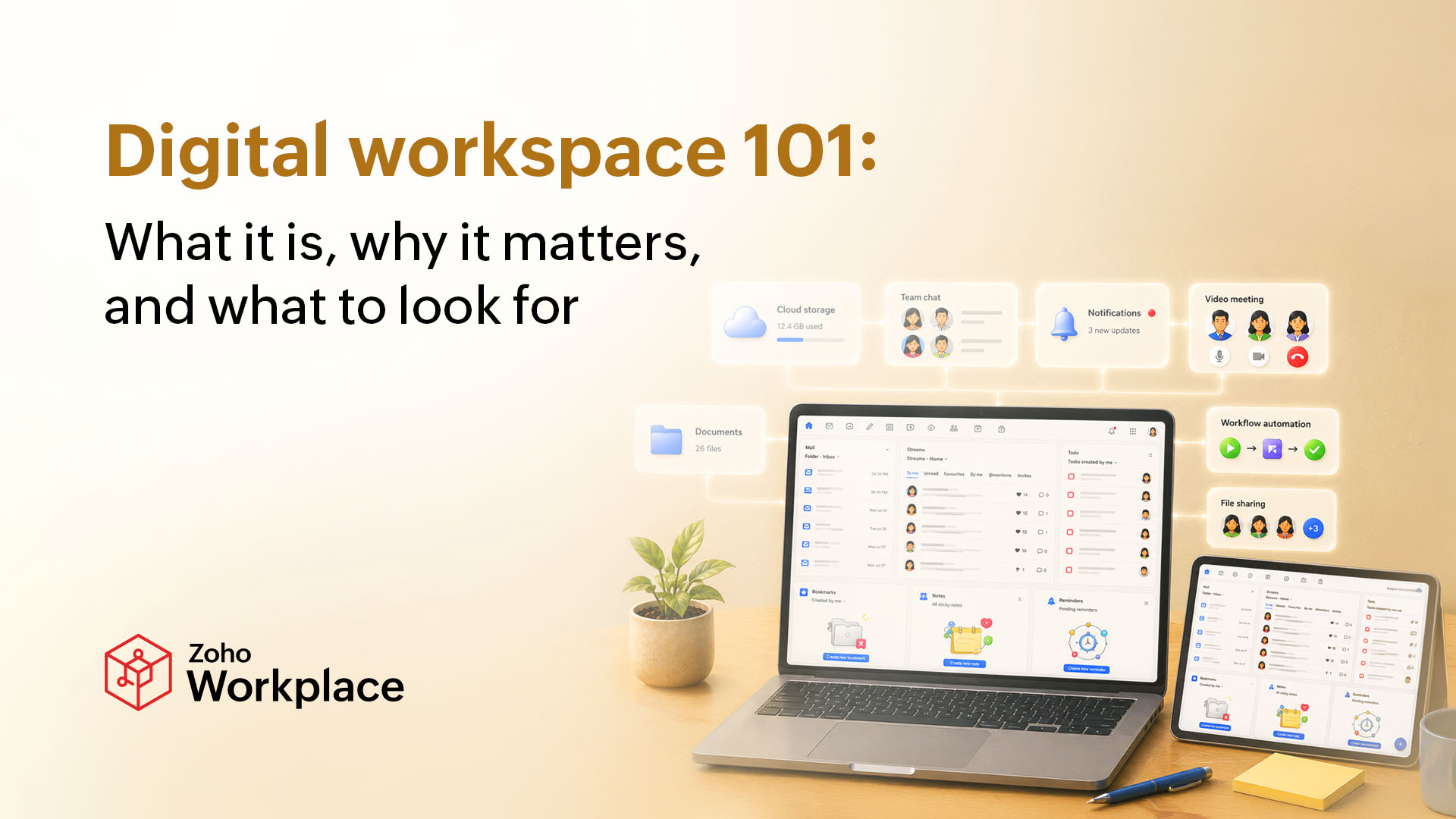
What exactly is a digital workspace?
A digital workspace is one spot where employees can get to everything they need to do their job. They can access their files, communication tools, and all of the apps that run their day-to-day work, no matter what device they’re on or where they’re working from.
It’s the “one place” thing that separates a true digital workspace from other tools. A pile of disconnected apps that happen to live on the same laptop doesn’t count as a digital workspace. A real workspace connects those apps so information flows seamlessly from one tool to another—without clunky workflows and manual copying and pasting.
Knowing that helps clear up a few terms people often confuse for a digital workspace.
Intranet: An internal website where employees can read a company announcement or find an HR policy. It’s not a place where they’d go to actually get work done. A lot of digital workspaces include functionality similar to what an intranet used to do, but an intranet by itself isn’t a digital workspace.
Single chat app: Something like Zoho Cliq, Slack, or Teams is just one piece of a digital workspace, not the whole thing. It’s focused specifically on communicating with other people, but it doesn’t handle the dozens of other things a workspace needs to do.
Remote access to your company network: Something like a VPN helps workers reach files from home or wherever they’re working. But it doesn’t include the tools, apps, and shared spaces they need once they get in the digital door.
None of these tools are a digital workspace on their own. They become pieces of a digital workspace when they’re all connected into a single system.
What are the core components of a digital workspace?
So, a digital workspace isn’t one feature or tool—it’s a handful of pieces that work together. But what are the necessary pieces? Here’s what typically makes up an effective digital workspace.
Communication tools
This includes all of the channels people use to talk to each other, such as chat, email, and video calls. In a true digital workspace, these tools are connected to everything else. If employees are having a conversation about a project, for example, they can link directly to the relevant files and tasks instead of pushing people to entirely separate apps.
File storage and sharing
Every digital workspace needs a central spot for documents, spreadsheets, and other files. It should be easy to access and edit these files (without emailing versions back and forth). Built-in version control is also important, so the system automatically tracks changes and keeps one clear, “current” version of a document. Without it, teams inevitably end up with five copies of similar files floating around—and nobody can tell you which one is the most up to date.
Task and project management
This is where work is planned, assigned, tracked, and completed. A digital workspace connects this piece to communication and files so that a task doesn’t just exist in a vacuum. It’s automatically tied to the conversation and documents that go with it.
App integration
Even with a solid digital workspace, most organizations still need to use tools beyond what their core suite offers—whether it’s a CRM, an accounting platform, or industry-specific software. A digital workspace should connect with those, either through built-in integrations or an open API, so that employees aren’t forced to click out of the workspace every time they need something outside of it.
Identity and access management
This controls who can get into what. It covers how people log in (ideally once, instead of juggling separate passwords for every tool) and what they can see when they log in. It’s how you’ll prevent a new hire from accidentally getting access to the finance team’s files, or how you’ll make sure someone who left the company doesn’t still have a way in six months later.
It’s not the flashiest piece of a workspace, and that makes it easy to overlook. But it really matters. When everything’s connected, weak access controls create a lot of vulnerabilities and potential problems.
Why digital workspaces matter (especially now)
Just a few years ago, a scattered mix of tools might have been annoying—but it was still manageable.
Today, more teams are spread across different locations on any given day, the number of apps most people need has continued to increase, and the security stakes have only gotten higher. All of this makes a digital workspace more necessary than ever. Here’s a closer look at why.
They support hybrid and distributed work
Most companies support having remote or hybrid employees. Among remote-capable U.S. employees, 52% currently work a hybrid schedule while another 26% are exclusively remote. Only 22% are fully on-site.
Gone are the days when everyone was in the office together day in and day out, but many companies still hobble along with tools (and often, too many of them) that don’t support this new reality. Distributed workers struggle to find what they need across disconnected apps or repeatedly run into access issues that slow them down and spike their stress levels.
They improve productivity
Given all of this, it makes sense that 96% of employees are dissatisfied with workplace tools. And when workers are forced to continue making things work with inadequate technology, it majorly hinders their productivity.
According to recent research, knowledge workers spend only about a quarter of their time on skills-based work. The remaining 60% goes toward communicating about their tasks, searching for what they need, and dealing with changing priorities.
A connected digital workspace doesn’t eliminate all of that, but it does make it quicker and easier. Employees spend less time figuring out the work, and more time actually doing it.
They address major security gaps
The more tools a team duct tapes together on their own, the more login credentials employees have—and that means more places for something to go wrong.
IBM’s recent research found that stolen or compromised credentials were one of the top five ways attackers first break into a system, responsible for 10% of breaches and taking up to 186 days to identify. Put simply, more passwords means more problems.
A digital workspace centralizes identity and access management so there’s one login to secure and one system to monitor (rather than a dozen separate weak points).
What to look for in a digital workspace
It’s helpful to understand the specific pieces and benefits of a digital workspace, but those don’t necessarily clue you in on whether or not a specific platform is worth adopting (or if your current setup still works). Here’s what to check before you commit.
Real-world adoption
Even if your chosen platform checks every feature box, it will still fall flat if employees find workarounds. Before rolling anything out across the company, run a small pilot with one team first and keep an eye on what happens. Do they open it daily? Or do conversations quickly move back to email and side chats?
It’s also worth asking the vendor for any retention and engagement data from customers your size. According to recent research, nearly half of all installed software went unused by employees, proving that implementation and adoption are two very different things.
Integrations
No platform covers everything a business needs on its own, so check how many integrations the tool offers—and how deep those integrations go. A connection that only streamlines the login process is drastically different from one where data flows both ways in real time.
Security and compliance
Go beyond the taglines and emblems and look for specifics, including SOC 2 compliance, data encryption standards, and clear documentation on how access controls and audit logs work. If a vendor can’t answer direct questions about how they handle security, consider it a red flag.
Room to grow
A platform may work well for you with a team of 50. But what if you grow to 500? That’s often when the cracks start to show through slower performance, murkier permissions, or per-seat pricing that really starts to hurt.
Get specifics from vendors on how the platform performs and how the price changes as your headcount grows. That will help you find something that will work well for you now and years down the line.
Fewer tabs, better work
A digital workspace isn’t a single tool that you install and then quickly forget about. It’s a deliberate decision about how your organization should work moving forward.
If you’re tired of all of the tab juggling and app hopping, a digital workspace will do more than clean up your tech stack. It will change what people default to when they need something. They’ll open a single system instead of guessing which of six apps might have what they’re looking for.
Ready to close a few tabs? Get started with Zoho Workplace today.
 Kat Boogaard
Kat is a freelance writer focused on the world of work. She writes for both employers and employees, and mainly covers topics related to the workplace such as productivity, entrepreneurship, and business success. Her byline has appeared in The New York Times, Fast Company, Business Insider, Forbes, and more.