- HOME
- Best practices & Guides
- Zoho Forms + Bigin: Turn form entries into contacts, deals, and new customers
Zoho Forms + Bigin: Turn form entries into contacts, deals, and new customers
- Last Updated : August 24, 2026
- 148 Views
- 7 Min Read
A photographer I know once lost a wedding booking to a form that worked perfectly. The couple filled out her inquiry page on a Tuesday, the notification landed in an email folder called Updates, and by the time she found it 11 days later, they had booked someone else. She ended up writing an apology instead of a quote. Nothing was broken. The form collected exactly what it was built to collect. It delivered the lead to a place where nobody was standing.
Every small business I know runs on forms, whether they admit it or not. A contact form here, an event signup there, a “request a quote” page someone built in 2019 that nobody has touched since. The forms usually work fine. The problem is what happens after someone hits submit.
In most cases, the answer is: an email notification lands in an inbox, someone copies the details into a spreadsheet, and three days later, a sales rep types the same details into a CRM. Or doesn’t. I’ve seen a quote request go unanswered for a week because the notification was sent to a former employee’s inbox. Every one of those lost leads went missing in the same place: the gap between the form and the CRM.
That gap is what this post covers. Specifically, how Zoho Forms and Bigin work together, what the integration does, and the use-cases where the pairing saves real hours every week. If you’re currently exporting form entries to a CSV every Friday, I wrote this for you.
A quick introduction to both products
Zoho Forms is an AI-powered form builder. You pull fields onto a canvas, set rules and themes, then share the form as a link or embed it on your site. It also handles the heavier stuff: conditional logic, file uploads, e-signatures, payment fields, approval flows, and offline entries through its mobile app. It’s the kind of form tool you graduate to when a plain contact form can’t keep up.
Bigin is Zoho's small-business CRM. It’s built around pipelines: leads come in on one side, deals move through stages, and every interaction with a customer stays in one place. Paid plans start at $7 per user per month, setup takes under 30 minutes, and it deliberately skips the enterprise bloat that makes most CRMs feel overwhelming.
Wait, doesn’t Bigin already have forms?
It does, and I’d be doing you a disservice if I glossed over that.
Bigin ships with a built-in forms feature. You can drag and drop fields, style the form to match your brand, share it as a link or QR code, embed it on your site, switch on CAPTCHA, and have each submission create a record in the pipeline of your choice. There’s even an approval option so you can screen entries before they become records. If all you need is a clean form on your website that drops new leads into a pipeline, use the native CRM form and skip the rest of this article. There’s no extra setup, and it lives where your deals live.
The Zoho Forms integration is a separate thing, and it exists when the form itself has a bigger job to do. Payments. Signatures. A deeper field library. Prefilled answers so returning customers don’t retype their details. PDF copies of every submission. And the big one: pushing data to different Bigin modules, while native forms focus on getting contacts and deals into pipelines.
What this integration does
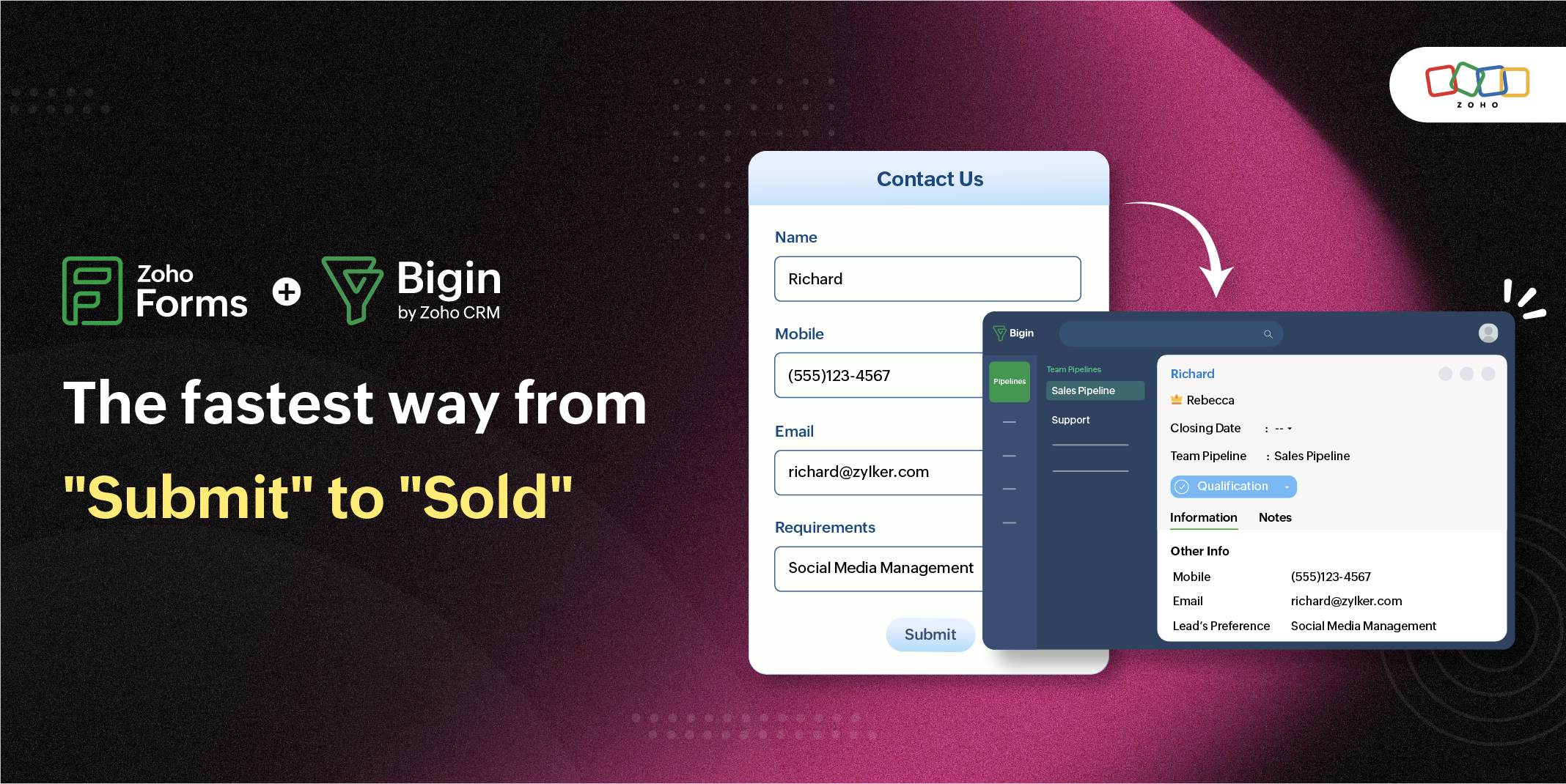
The mechanics are refreshingly boring. In the Zoho Forms builder, you open the Integrations tab, pick Bigin, choose the module that should receive your data, and map form fields to Bigin fields. Mandatory Bigin fields must be mapped before they are saved, which is mildly cumbersome yet necessary. From then on, every submission becomes a record on its own, and the Friday CSV ritual dies quietly.
You can send entries to six modules: Contacts, Deals, Companies, Products, Tasks, and Events. Beyond creating records, a handful of actions do the real work:
- Upsert, which combines update and insert into one operation: it checks whether a matching record already exists and updates it instead of creating a duplicate. You decide which fields it checks and in what order, say email first, then company name.
- Lookup filters let a form that creates a deal find the right existing contact and attach the deal to them based on criteria you set. If nobody matches, it can create the contact on the spot.
- Workflow triggers, so a submission can fire off whatever automation you’ve built in Bigin: assign an owner, send an email, create a task.
- Attachments, which push signatures, uploaded files, and a PDF copy of the submission straight onto the Bigin record.
- Tags are applied automatically to every record the form creates so that you can filter your CRM by source, campaign, or anything else.
- Approval, which parks entries in Bigin’s approval list for a human to wave through rather than adding them directly.
Use-case 1: A lead capture form that runs at the top of your pipeline
This is the obvious one, and it’s still the one that most changes daily life.
Say you run a design studio. You build a client intake form in Zoho Forms asking for name, email, company, budget range, and a project brief, then embed it on your site. The integration takes it the rest of the way to lead capture software be it Zoho CRM or Bigin by Zoho CRM. Every submission becomes a contact in Bigin, a deal is created and attached to that contact via a lookup filter, and the budget field maps directly to the deal.
Two important details here. First, upsert. If the same person downloads your pricing guide twice, they shouldn’t appear twice in your CRM, so the form checks the details and updates the existing record instead. Duplicate leads are what make follow-ups awkward. Second, UTM capture. Zoho Forms can record UTM campaign details for each entry and map them to Bigin fields, so you can finally answer “did that ad bring us customers?” with data instead of vibes.
Then add one workflow in Bigin: every new deal from this lead generation form creates a sales follow-up task, assigned to a real person, due tomorrow. That single rule is worth more than most sales books.
Use-case 2: event registration forms and booth lead capture
Events generate the happiest leads and the worst data handling. Someone talks to you for 10 minutes, writes their email on a sign-up sheet, and then the sheet dies in a tote bag.
The fix: start from a registration form template in Zoho Forms, map it to Bigin, and let every registrant become a contact tagged with the event name. If the registration should also create a calendar entry or a to-do, map it to the Events or Tasks module instead. For webinars and workshops, I’d add the approval action for anything gated, so entries land in Bigin’s approval list, where you admit humans and discard bots.
For trade shows, put the form on a tablet at your booth. The Zoho Forms mobile app collects entries even when you’re offline and syncs them later, which matters because venue wifi is a rumor. Everyone who stops by gets typed in on the spot, and by the time you’re at the airport, every conversation is a contact in Bigin with a follow-up task attached. If you’ve ever tried to capture leads at trade shows with a shoebox of business cards, this is the upgrade. Event lead capture happens once at the booth, not all over again at your desk on Monday.
Use-case 3: customer feedback forms and service requests
Forms don’t stop mattering after the sale, and this is where upsert quietly becomes the star.
A customer feedback form mapped to Bigin, with upsert on the email field, updates the record you already have instead of creating a duplicate. The customer’s rating and comments land on the same timeline as their deals and past conversations. Attach the PDF copy of the submission, and the full context lives on the record forever.
Service requests work the same way. A service request form, or an online feedback form for complaints, can create a Task in Bigin, trigger a workflow that assigns it to the right teammate, and tag it “refund” or “warranty” so requests are filterable at a glance. The payoff shows up on the next phone call: your teammate opens one screen and sees the complaint, the original order, and the deal history, instead of asking the customer to retell the whole story. Customers notice that. They rarely say so, but they notice.
When the form doesn't stop at the form
The photographer eventually connected her inquiry form to a CRM. The next time someone asked about wedding dates, the inquiry didn't disappear into an inbox. It became a contact, a follow-up task appeared automatically, and she replied before another photographer had the chance.
That's the real value of connecting Zoho Forms with Bigin. It's not about replacing email notifications or adding another integration for the sake of it. It's about making sure the moment someone raises their hand, your business is ready to respond.
Because forms have never really been about collecting information. They're the front door to your business. Every submission is a person who's interested enough to take the next step.
Bigin’s free trial runs for 15 days without asking for a card, there’s a forever-free plan for single users, and paid plans start at $7 per user per month. Zoho Forms has a forever-free plan that includes the Bigin integration, so you can test the whole loop without paying for either product. The help guide walks through the field mapping step by step.
Frequently asked questions
- Is the Zoho Forms integration the same as Bigin’s built-in form builder?
No, and it’s worth keeping them straight. Bigin’s native forms feature is a quick way to capture contacts and requests directly into your pipelines, and it works on its own.
The Zoho Forms integration connects a standalone, more advanced form builder to Bigin, adding payments, signatures, prefill, PDF copies of submissions, and pushes to six modules. This article covers the integration.
- Which Bigin modules can Zoho Forms send data to?
Contacts, Deals, Companies, Products, Tasks, and Events.
- Can Zoho Forms update existing Bigin records instead of creating duplicates?
Yes. The upsert action checks fields you choose, in the order you choose, and updates a matching record if one exists. If nothing matches, it creates a new record.
- Do I need Zoho Flow to connect Zoho Forms and Bigin?
No. The native integration handles feeding Bigin with forms on its own. Flow is for multi-step automations that reach beyond the two apps.
 Samhita V
Samhita is a seasoned product expert at Zoho Forms who blends deep product expertise and user education to help businesses make sense of powerful features without the jargon. Known for her thoughtful storytelling and crisp communication, she adds a subtle creative flair to every piece she writes. With a knack for spotting real-world use cases and adding a touch of fun to her narratives, she’s on a mission to make even the most complex workflows feel approachable. Beyond the desk, she channels her creativity into dance and mural art, finding new ways to infuse her surroundings with color, rhythm, and meaning.