A complete guide to hybrid integration: Bridging on-prem systems and the cloud
- Last Updated : September 1, 2026
- 520 Views
- 6 Min Read
Summary:
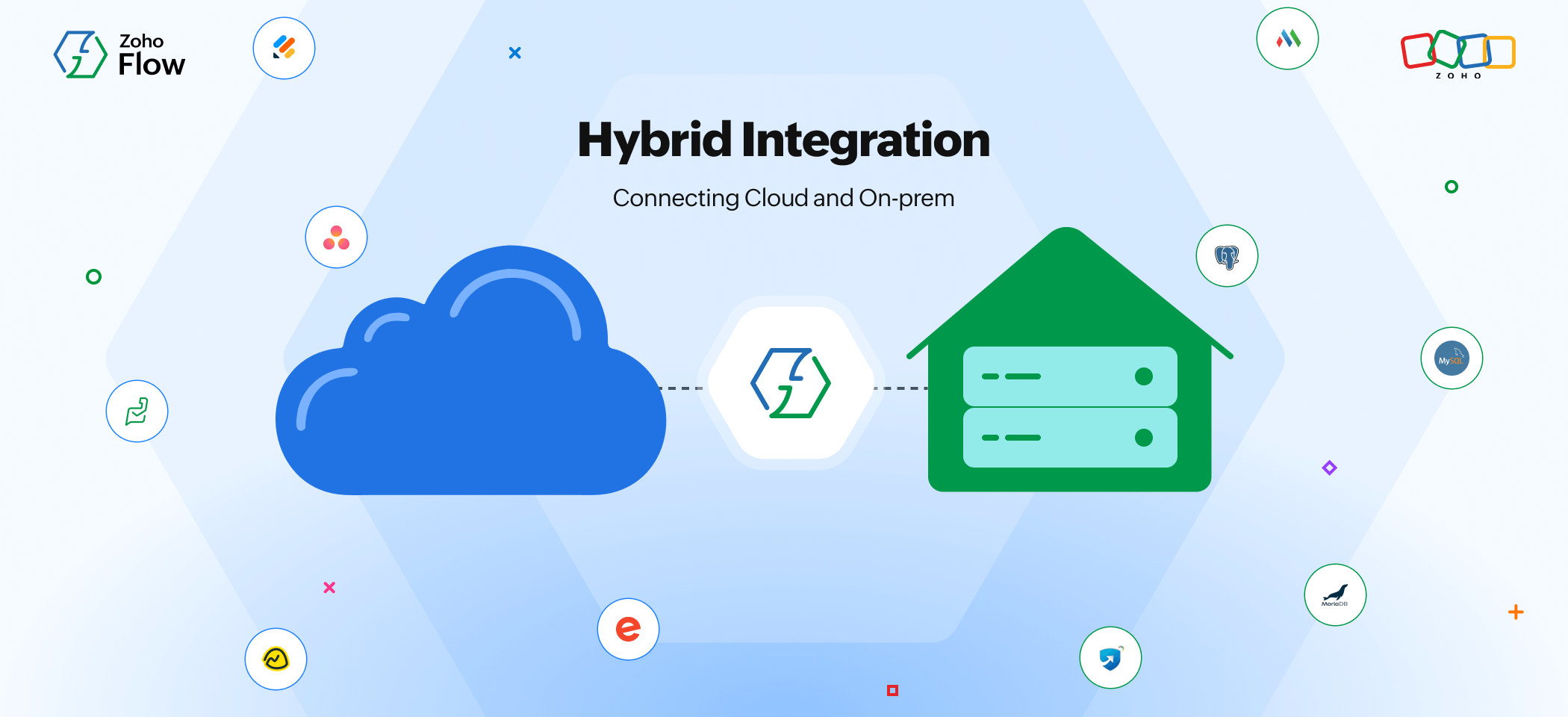
- As businesses grow, managing both on-premises systems and cloud applications becomes essential, but connecting them manually can lead to errors and data silos.
- A hybrid integration platform like Zoho Flow will help you connect your internal infrastructure with modern cloud apps securely.
- With a secure on-prem agent, API-based integrations, and webhook support, you can integrate your mission critical systems without exposing sensitive data.
Introduction
Businesses today depend on multiple systems to run daily operations. You might use a database like MySQL, an ERP system like SAP, and several cloud applications for sales, support, or marketing. But the real challenge isn't using these tools—it's getting them to work together.
Many generic integration solutions promise to connect systems easily, but they often create new issues. Your data may not be handled securely, workflows become complicated, and you might need technical expertise just to maintain integrations. Instead of saving time, you end up troubleshooting. That's where a hybrid integration platform can help you: allowing you to connect your systems securely without creating any complexity.
What's a hybrid integration platform and why does it matter?
A hybrid integration platform is a simple solution for businesses to connect their cloud and on-prem systems. It eliminates data silos, enabling secure and scalable automation across your organization.
Here's why hybrid integration matters:
- Allows organizations to continue using their reliable on-prem and mission-critical systems while integrating them with modern cloud apps
- Provides the flexibility to integrate more cloud apps without major IT setups
- Ensures security and compliance when transferring sensitive and business-critical data between environments
- Helps with real-time data flow across systems, reducing manual data entry and errors
Why choose Zoho Flow as your hybrid integration platform?
Here are the five key reasons why Zoho Flow stands out as a robust hybrid integration platform and why businesses prefer it over other generic solutions.
1. On-prem agent for secure connectivity
Zoho Flow provides an on-prem agent that securely connects your internal systems with cloud apps. You just have to install the agent on your private network to safely link legacy systems like SQL databases and ManageEngine apps to Zoho Flow and 1,000+ cloud apps.
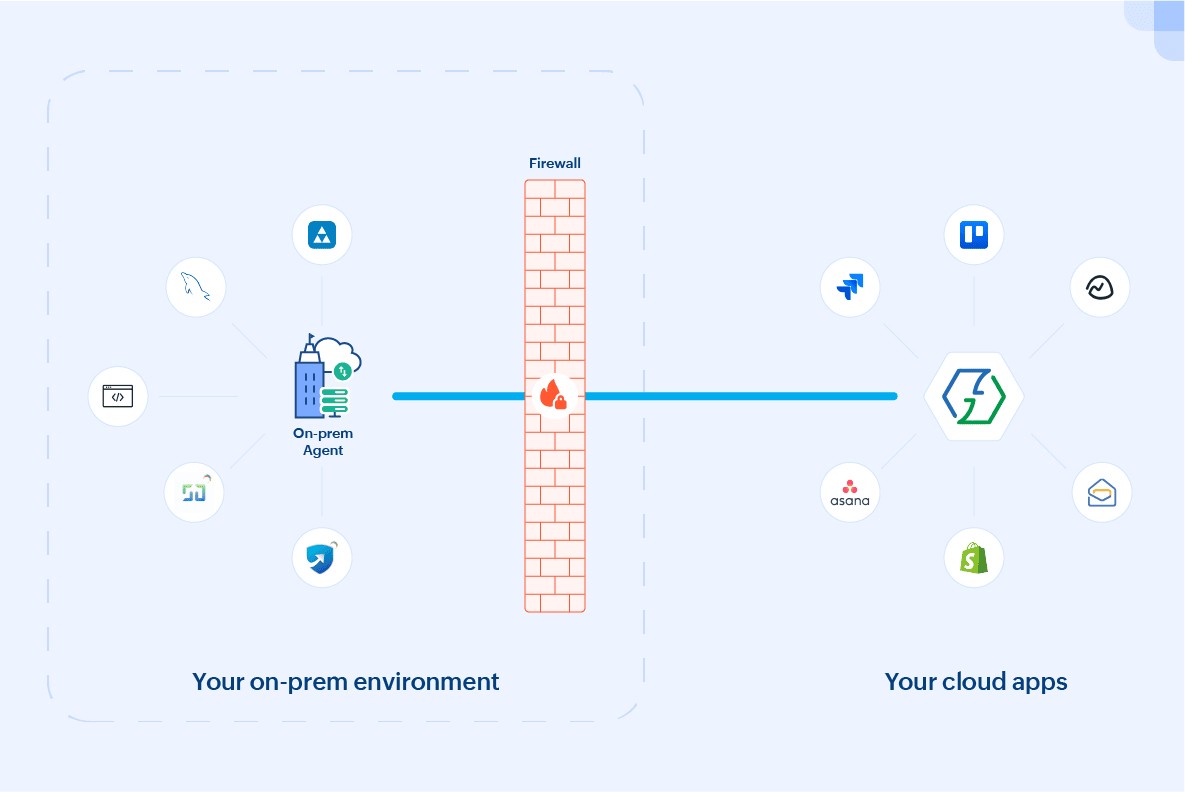
As part of Zoho's privacy-first ecosystem, Flow keeps your sensitive on-prem data protected. The agent runs behind your firewall, using an encrypted WebSocket tunnel with Transport Layer Security (TLS) for all communications.
2. Dedicated on-prem app gallery
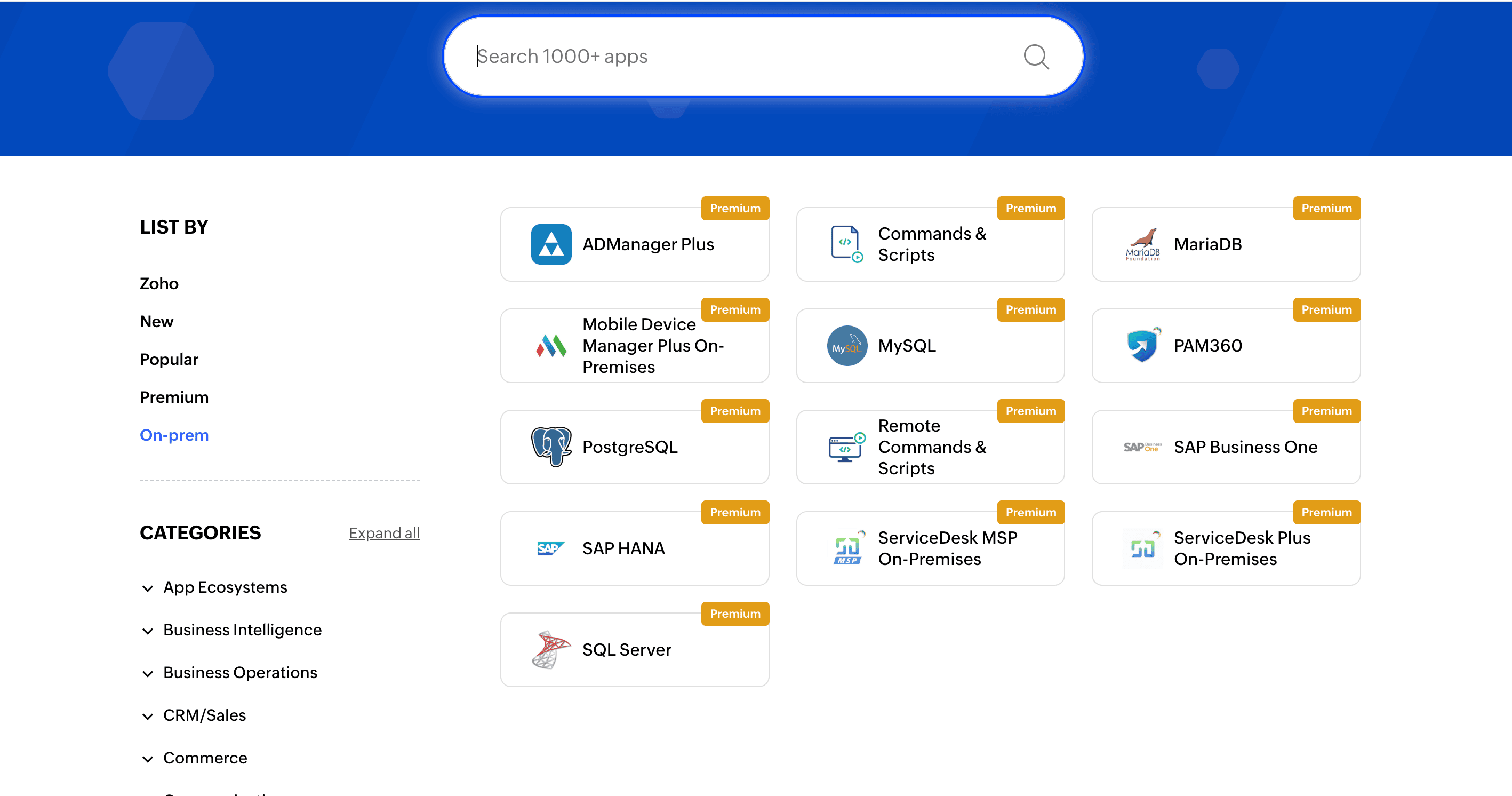
Zoho Flow has a growing gallery of ready-to-use on-prem apps available for you to build your hybrid workflows. It includes ManageEngine apps, SQL databases, and more, as you can see below.
3. Event-driven automation
Zoho Flow lets you trigger workflows automatically when an event occurs. For example, a new SQL record created, form submission, or status update can trigger your workflow. Instant event handling helps you stay in sync without manual intervention. Additionally, Flow has logic elements like variables, decisions, and delays to make your workflows more flexible.
4. API-based integrations and webhook support
Zoho Flow supports API-based integrations for apps available in its gallery. These APIs enable secure exchange of data between both cloud and on-prem apps. Apps not available in Zoho Flow can still be included in your workflow using webhooks. Applications that support webhooks can instantly notify Zoho Flow whenever a specific event occurs.
5. Execute commands and scripts on your on-prem system
Zoho Flow can execute commands and run custom scripts directly within your private network using the on-prem agent. This allows you to automate tasks like running batch files, executing PowerShell scripts, or performing system-level operations on your servers. This is especially useful for businesses that manage internal databases, local servers, and legacy systems. Instead of moving sensitive data to the cloud, you can securely execute operations directly within your internal infrastructure.
Getting started with hybrid integration in Zoho Flow
To get started with hybrid integration in Zoho Flow, let's consider a simple use case: connecting Zoho Creator with the on-prem app ServiceDesk Plus. For example, when a company hires new employees, they submit an asset request form in Zoho Creator. Once the form is submitted, we want Zoho Flow to automatically create an asset request in ServiceDesk Plus for the IT team to allocate assets to the employees.
1.Install the on-prem agent
First download and install the on-prem agent in your private network. This acts as a secure bridge between your internal system and the cloud.
2. Create a flow
Log in to your Zoho Flow account and click Create Flow in the top-right corner. Provide a name for your flow and proceed in creating it.
3. Configure the trigger
Select App as the trigger type and Zoho Creator as the trigger application. Choose Record created as the trigger event.
4. Create a connection (Zoho Creator)
Create a connection for your Zoho Creator account for Zoho Flow to authorize your account. After creating the connection, fill in relevant fields like Application and Form for your trigger.
5. Choose the action
Navigate to the left panel and search for your action application (ServiceDesk Plus). Choose the Create request action and drag and drop it into your builder page.
6. Create/select connection (ServiceDesk Plus)
Select the ServiceDesk Plus connection configured via the on-prem agent. Fill in relevant fields like Request template and Status. Map the necessary fields from the Zoho Creator trigger to ServiceDesk Plus.
7. Test and go live
Test the flow with sample data, verify if the request is created in ServiceDesk Plus successfully, and then switch on the flow to go live.
Real-world scenarios and use cases for hybrid integration
Syncing MySQL with Zoho CRM
Let's say your company stores customer data in an internal MySQL database, while your sales team manages deals and follow-ups in Zoho CRM. Manually exporting files from database to CRM can be challenging. By automating this process using Zoho Flow, you can instantly update your CRM when an event happens in MySQL.
Use case: When a new row is added to your MySQL table, Zoho Flow automatically creates a contact in Zoho CRM. This ensures that the new customer information moves instantly to your CRM, keeping it updated.
Keeping your SQL server and Zoho Books in sync
Imagine your team handling orders and billing data in an on-premises Microsoft SQL Server database, but also managing invoices in Zoho Books. Every time order details get updated in your SQL server, it can be difficult to update your accounting software in the cloud. With a hybrid integration platform, you just have to set it up once and let the system handle it moving forward.
Use case: Whenever a new row gets updated in SQL Server, Zoho Flow instantly creates an invoice in Zoho Books. This way, you can keep your accounting records in sync in both your on-prem and cloud setups.
ServiceDesk Plus and Zoho Projects
Your support team may be managing support tickets in ServiceDesk Plus, which is hosted on your internal infrastructure. However, some high priority tickets need specific attention and have to be escalated to your project management tool. Instead of manually reviewing and escalating these tickets, you can automate the process with hybrid integration.
Use case: Whenever a high priority ticket is created in ServiceDesk Plus, a corresponding task is immediately created in Zoho Projects. This way, you can keep track of important tickets without checking them manually.
SAP Business One and Zoho Inventory
Companies use SAP Business One to manage procurement and stock records, but day-to-day order tracking and shipments happen in Zoho Inventory. Manually checking and updating stock in different systems can lead to missed inventory or duplicate entries. Once you set up an automated workflow for this process, the data stays updated without constant monitoring.
Use case: Whenever stock levels are updated in SAP Business One, Zoho Flow automatically updates the number in Zoho inventory, ensuring your team is working with accurate and up-to-date data.
Wrapping up
As your business grows, your organization will increasingly depend on both on-premises and cloud applications. Replacing older systems right away may not be possible—but connecting them intelligently is a practical solution.
Choosing a hybrid integration platform like Zoho Flow will help you integrate these systems without compromising on security. Beyond secure hybrid integration, Zoho Flow has now brought AI into workflow building, helping generate flows and suggesting next actions.
Start building intelligent hybrid workflows with Zoho Flow today!
 Gayathri Babu
Content writer for Zoho Flow. Passionate about creating engaging content that truly resonates with the readers.