- HOME
- Know Your Tech
- Understanding citizen integrators and their role
Understanding citizen integrators and their role
- Last Updated : January 4, 2026
- 752 Views
- 8 Min Read
Have you ever waited weeks for IT to connect two systems, only to watch your team lose momentum?
Integration delays create bottlenecks that slow decision-making and frustrate teams. When employees can't access the right data or automate routine tasks, productivity suffers, and business agility decreases.
Highlights
- Citizen integrators drive speed and agility by reducing dependence on IT and enabling faster integrations and automation.
- Low-code/no-code platforms enable non-technical users to bridge the gap between business needs and IT solutions.
- Key challenges include managing governance, training, and ensuring security/scalability of user-generated solutions to avoid shadow IT.
- Citizen integration won't replace IT, but it will free up IT to focus on strategic initiatives.
This blog post explains citizen integration, how business users build integrations, and automate workflows using low-code platforms. Find out who can become citizen integrators, what skills they need, and how to enable them effectively while reducing IT dependency.
What is a citizen integrator?
A citizen integrator is a business professional, often outside the IT department, who creates software integrations and automates workflows using low-code or no-code tools.
Unlike traditional developers, they don't need deep programming knowledge. Instead, they rely on their strong domain expertise and understanding of day-to-day operations to design solutions that improve efficiency.
Here’s how citizen integrators connect business needs and technical execution:
- Integrating software tools across departments
- Automating repetitive or manual tasks
- Building workflows that keep operations running smoothly
Who should become a citizen integrator?
Identifying the right individuals to become citizen integrators can be beneficial for your organization. These are often the employees who are already experts in their respective fields, yet eager to solve problems with technology. It’s important to identify individuals who are well-equipped to understand business needs.
Here’s a look at the kinds of people who often step into this role:
- Marketing managers who automate campaign workflows and sync data between platforms
- Sales operations teams that connect lead generation tools with customer relationship management (CRM) systems
- Customer support teams that integrate ticketing systems with communication channels
- Product managers who link customer feedback directly to project management software
Since you know who your potential candidates are, you need to evaluate them further. In this process, you need a checklist of skills they should possess to become a successful citizen integrator.
Key skills for citizen integrators
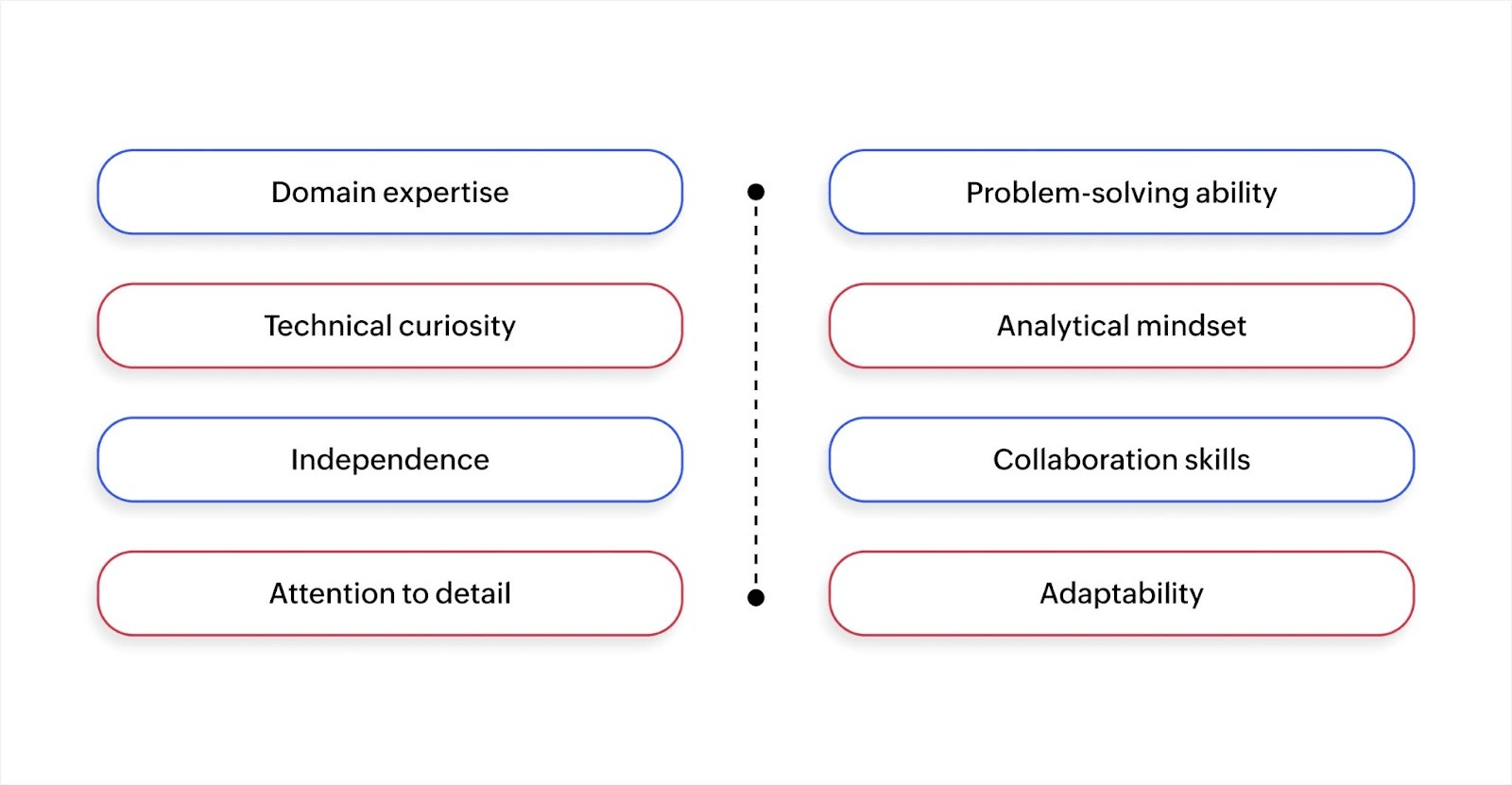
The key to effective citizen integration requires balancing domain expertise with beginner-level technical ability. Here's a skill checklist to assess readiness for this role:
- Domain expertise: A deep understanding of the specific department’s business objectives, whether it’s marketing, sales, or customer support, is essential. This knowledge allows individuals to align technology solutions with strategic goals, ensuring the solutions are relevant and impactful. Expertise in a specific domain enables you to address unique departmental challenges effectively.
- Problem-solving ability: The capacity to recognize inefficiencies in current systems and workflows is crucial. A skilled problem-solver identifies issues and designs effective technological solutions. They ensure improvements are both practical and scalable by thinking critically about existing processes.
- Technical curiosity: A natural interest in technology and innovation is key, especially when working with low-code or no-code tools. This curiosity drives individuals to explore new platforms and create custom solutions without requiring advanced coding skills. Technical curiosity helps bridge the gap between business needs and technology, fostering creativity in problem-solving and automation.
- Analytical mindset: Strong analytical skills are necessary to evaluate how data flows across systems and to identify integration needs. This mindset allows individuals to assess whether existing systems are working cohesively. An analytical approach helps make informed decisions on optimizing workflows.
- Independence: The ability to work independently without constant reliance on IT teams is vital today. Individuals with this trait are self-motivated to experiment with new solutions and take ownership of their projects. This independence accelerates innovation, as individuals can iterate on solutions without waiting for external resources.
- Collaboration skills: Collaboration is key when integrating tools and systems across multiple departments. Individuals must effectively communicate and work with cross-functional teams, ensuring that all stakeholders are aligned on goals and strategies. Strong collaboration skills help ensure that solutions meet technical requirements and satisfy the broader business's needs.
- Attention to detail: A meticulous focus on detail is essential when managing integrated platforms. Ensuring that data is accurate, consistent, and synchronized across systems prevents costly errors and operational inefficiencies. Attention to detail ensures the integrity of data and processes, which is essential for building reliable, scalable workflows.
- Adaptability: Business needs and tools are constantly evolving, and the ability to adapt to these changes is a vital skill. An adaptable individual can quickly adjust workflows, tools, or solutions to accommodate new requirements or technologies. This flexibility ensures that systems remain relevant and efficient, even as business dynamics shift.
If your team has these skills, they’re ready to lead citizen integration efforts. Once you've identified the right people, you can trust them with important business responsibilities. It allows you to focus on bigger priorities.
What do citizen integrators do?
Citizen integrators handle tasks that traditionally required developer involvement. Instead of acting as full developers, they focus on practical tasks, like routing support tickets into dashboards to remove blockers and keep work moving.
Here's a brief overview of the role of a citizen integrator:
Building integrations across various software applications
Citizen integrators link tools like enterprise resource planning (ERP) software and project management tools. This ensures that information flows smoothly between systems, eliminating silos and improving collaboration.
Zoho Creator's intuitive integration flow builder helps citizen integrators to connect apps and automate workflows without writing code. With prebuilt connectors and a visual interface, you can orchestrate data exchanges across services like CRM, ERP, analytics tools, and more.
Automating repetitive tasks
Many routine processes, such as synchronizing customer data and generating alerts, can be time-consuming and prone to errors. Citizen integrators set up automation to handle these tasks, saving time and reducing mistakes.
For instance, they may create automated workflows that send notifications when certain thresholds are met. This is also capable of generating reports to track performance indicators, eliminating the need for manual updates.
What tools do citizen integrators use?
Citizen integrators rely on specific platforms designed for business users. These platforms remove the technical barriers by providing visual interfaces and templates that anyone can customize.
Here are the main types of tools citizen integrators use:
Integration platform as a service
An integration platform as a service (iPaaS) is a cloud-based solution that allows users to connect different software applications and systems. These platforms provide prebuilt connectors and integration templates to simplify the process of data synchronization between various applications.
With an iPaaS, citizen integrators can set up, manage, and monitor integrations in real time. The advantage of using an iPaaS is that it helps avoid the complexities of traditional integration projects.
Low-code tools
The low-code market is expanding quickly to meet this demand. The global low-code development platform market is expected to reach $187B USD by 2030, up from $10.3B USD in 2019. This growth reflects how businesses across industries are adopting these platforms to handle integration needs faster.
AI-powered low-code platforms like Zoho Creator are designed to help users build integrations and automations with minimal programming knowledge. These tools typically offer drag-and-drop interfaces and visual editors, enabling business users to create and manage complex workflows.
The key components of these platforms include:
- Visual flow builders: These builders let users visually map out how data flows between different software applications and define triggers and actions.
- Prebuilt API connectors: Prebuilt application programming interface (API) connectors are the backbone of how systems communicate with each other. They ensure data moves hassle-free between applications.
- Integration templates: These are predefined, customizable workflows that citizen integrators can use as starting points. Templates save time by offering preconfigured integrations for popular applications, which users can adapt to fit their business needs.
Access to these tools changes the timeline for solving workflow problems. Tasks that once required scheduling developer time and waiting in IT queues now happen the same day they're identified as needs. Organizations operate differently when business users can build integrations themselves.
Why are citizen integrators important?
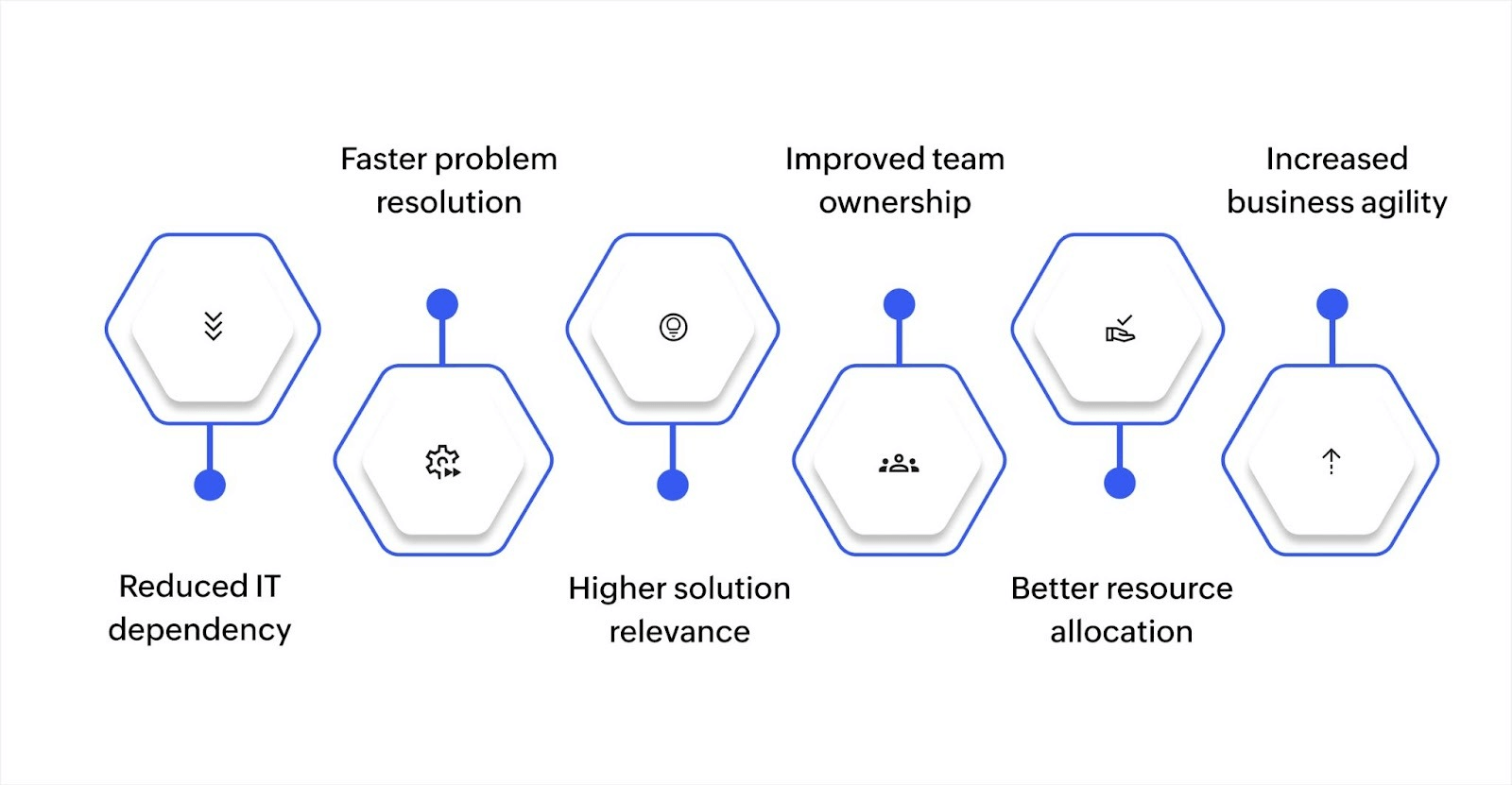
Business users understand their workflows better than anyone else. When they can build their own integrations, problems get solved faster, and solutions fit better. Here's why citizen integrators matter for organizations:
- Reduced IT dependency: Business teams can handle routine integration tasks independently, allowing IT to focus on complex infrastructure and strategic initiatives.
- Faster problem resolution: Solutions get built in days instead of weeks because the people creating them already understand the requirements and context.
- Higher solution relevance: Integrations address actual daily challenges rather than theoretical needs, resulting in better adoption and more practical outcomes.
- Improved team ownership: Employees feel empowered to solve their own problems, creating a culture where continuous improvement happens naturally across departments.
- Better resource allocation: Organizations can scale their integration capabilities without proportionally increasing IT headcount or external consulting costs.
- Increased business agility: Teams respond faster to market changes and customer needs when they can adjust workflows and connections immediately.
Having said that, these benefits come with responsibilities. Organizations need to set up the right safeguards so citizen integrators can work effectively while keeping integrations secure and aligned with company standards.
Challenges with citizen integration and how to address them

If not implemented correctly, citizen integrators can significantly impact the success of your organization's integration efforts. This is true whether the solutions are created by citizen integrators or other team members. The key obstacles that need to be addressed to make citizen integration sustainable are:
Avoiding shadow IT
One of the main risks of citizen integration is the potential for “shadow IT”. This can lead to fragmented systems, a lack of compliance, or security vulnerabilities. Clearly defined roles and approval processes ensure that citizen integration efforts are aligned with the company’s IT strategy.
Training and enablement
Not every team member will immediately feel comfortable creating integrations. Some employees adapt quickly, while others need more guidance to use the available tools effectively.
Providing adequate support helps them maintain quality without compromising system integrity.
Security and scalability
Security is always a concern when non-technical users are building integrations. Citizen integrators need to be aware of potential risks, like unauthorized data access, data loss, or breaches.
Additionally, while a solution may work well at small scale, it may not be able to handle growth as the business expands. It’s critical to assess the security and scalability of any user-created integration.
Shaping the future of integration
As the tools and platforms supporting citizen integration evolve, the line between business users and developers continues to blur. Organizations are recognizing that the right tools and training are needed for business users. These become essential for scaling integration efforts without compromising security or performance.
With features like drag-and-drop workflows and data management capabilities, Zoho Creator enables business users to create custom integrations easily. Its intuitive interface allows teams to design automations to accelerate project timelines.
Ready to take your integration efforts to the next level? Book a call to see how Zoho Creator can help your teams.
FAQ
Can citizen integrators really replace traditional developers?
Citizen integrators can handle many integration and automation tasks that were once the sole responsibility of developers, particularly for routine workflows. However, they don't replace developers entirely. IT teams are still needed for complex system architectures, security measures, and high-level technical solutions.
How do I know if my team members are ready to become citizen integrators?
Look for employees who have a deep understanding of your business processes and possess an analytical mindset. They should also be open to learning new tools. While technical expertise isn't necessary, comfort with technology and problem-solving skills are essential to succeed as a citizen integrator.
Are citizen integrators limited to certain types of integrations, or can they handle complex workflows?
Citizen integrators can manage a wide range of integrations, especially with user-friendly platforms. Given the right runway, even advanced tasks like cross-platform data security are within their reach.
What are the key risks of relying on citizen integrators for integration tasks?
The key risks include the potential for poorly executed integrations, security vulnerabilities, or misaligned workflows. Proper training, oversight, and clear governance structures are crucial to mitigating these risks and staying ahead of your competitors.
 Rohith Krishnan S
Rohith is a product marketer at Zoho. He writes about low-code, workflow automation and follows the latest digital transformation trends. Outside work he enjoys spending time with family, watching football matches and reading about futuristic trends, in no specific order.