Labels that build themselves: Simplified Label Automation in Zoho Writer

Anyone who ships every day knows this feeling. Forty orders, each with a different number of items, and every item needs its own label.
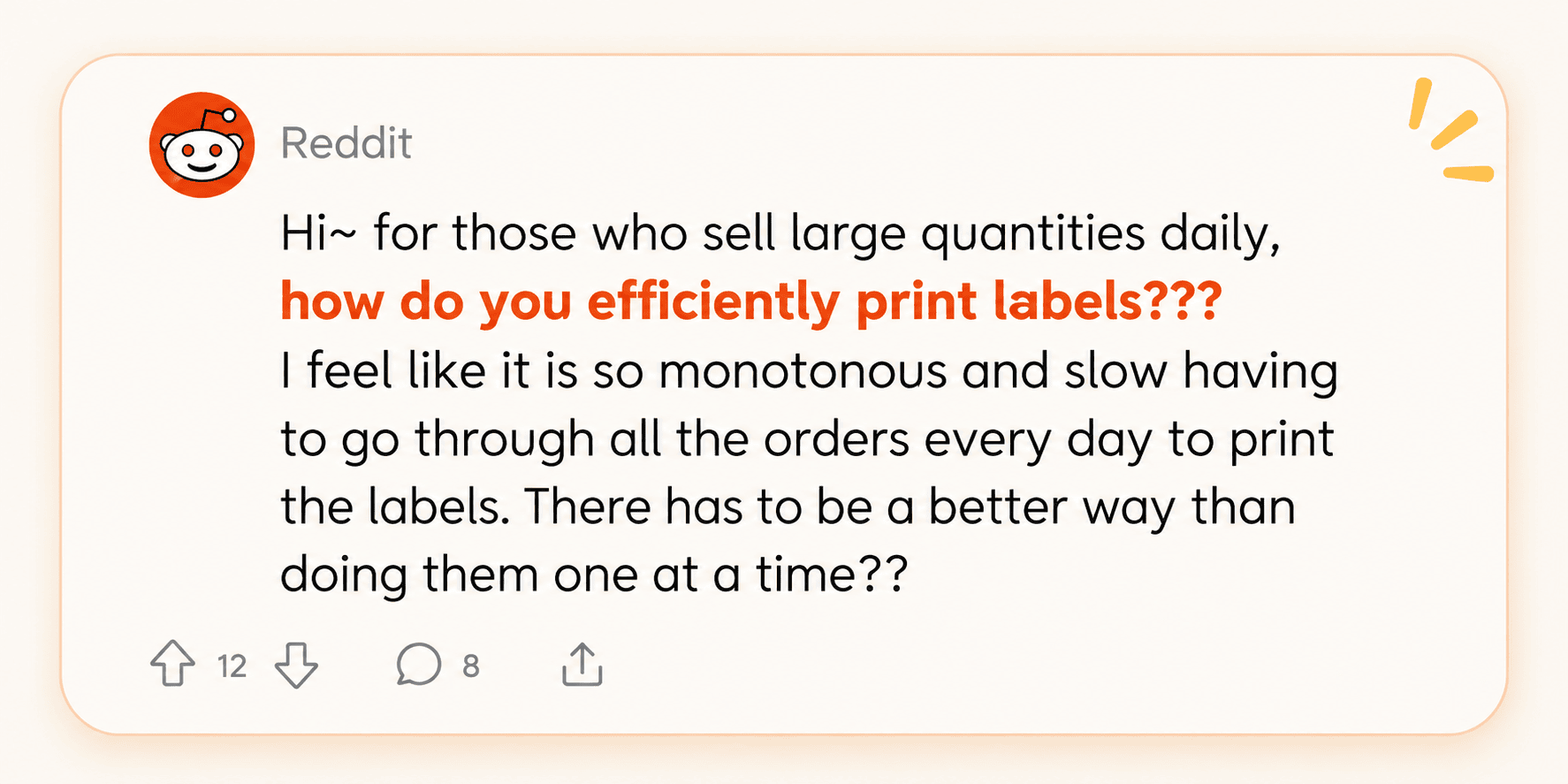
Content Source: Reddit
You export the orders, duplicate rows to match the quantities, fix an address field that’s shifted out of place, and hit print. Tomorrow, you'll do it all again.
Creating labels sounds simple until you’re dealing with hundreds of them, each with different details, quantities, and layouts.
With Zoho Writer's Label Automation, you can design your labels once and let your data do the rest. We have introduced four new features to make it easier to customize label layouts, edit and print the right number of labels, add background artwork, and group multiple line items on a single label. Here’s how it works.
Design labels to fit your needs
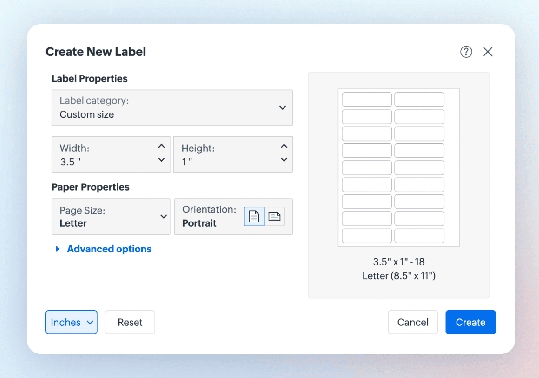
Let's say you need labels for 2 different jar sizes: 2" x 1" and 3.5" x 2". Instead of hunting for a template that almost fits, you can start with a label design template or create one from scratch. Set your label dimensions, choose the paper size and orientation, and preview the layout before printing.
Whether you’re creating shipping labels, product stickers, mailing labels, or asset tags, you can tailor the layout to your needs. The live preview lets you check how the labels will sit on the sheet before sending them to the printer.
Print the exact number of labels you need
When order quantities vary, creating labels manually can quickly become tedious. With label automation, you can map a quantity column from your data and have Writer generate the corresponding number of labels for each record.
For example, if an order contains 10 units of Item A, Zoho Writer generates 10 labels.
| Item | Part Number | Specs | Ordered Quantity | Labels Printed |
| Item A | P-1001 | 10mm, Steel | 10 | 10 |
| Item B | P-2045 | 20mm, Aluminum | 5 | 5 |
No need to duplicate spreadsheet rows or manually adjust the number of labels for each item. If you need additional copies, you can configure the print settings to produce them without manually adjusting each record.
Add your own artwork as a label background
Need labels that match your packaging or brand identity? Add your own artwork as the background and position merge fields over it.
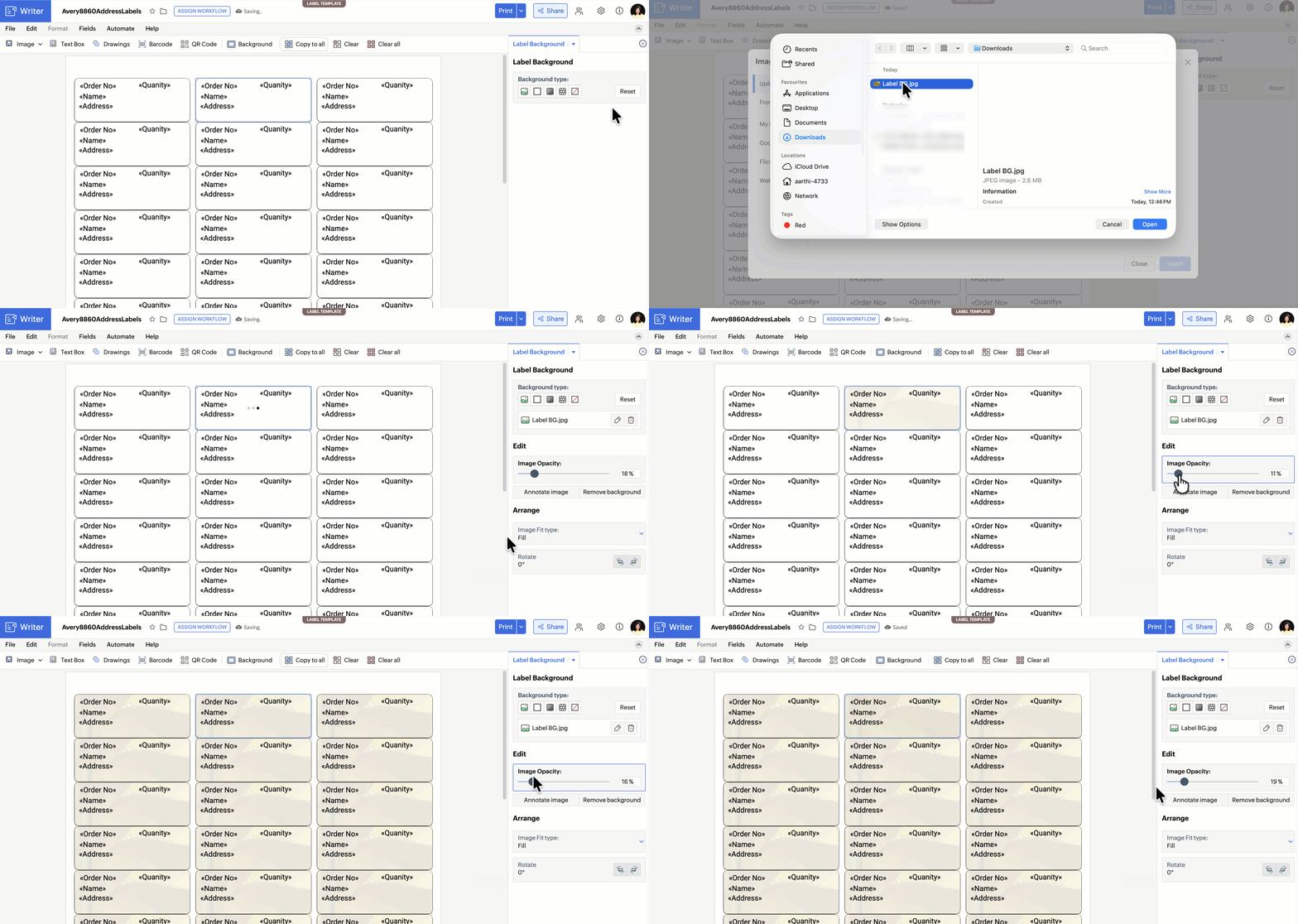
Your design stays consistent while product names, sizes, batch details, and other information populate automatically from your data. To change your label design, simply replace the background artwork instead of rebuilding the entire template.
You can add artwork from your computer, a URL, Zoho WorkDrive, your library, Google Photos, Flickr, or a web search.
Bring all the line items in an order together
Some labels need to list multiple items from the same order. Imagine an order containing new faucets and pipes for a restaurant kitchen sink, each with its own item code and quantity.
Instead of manually bundling these records, you can now group related line items under their parent order and bring them together on a single label.
This is useful for creating box-content labels that list everything in a shipment, helping teams check what’s packed without having to piece together information from separate records.
See how it works
To get started, open a label template in Zoho Writer. Pick a design or set your own size, and add merge fields, barcodes, or QR codes where you need them. Connect your data, hit Generate, and your labels are ready to print.
No more doing it one at a time
It’s a Friday afternoon and a large order with 500 different items needs to be shipped before the end of the day.
But this time, the data is ready, the template is set up, and the artwork is in place. Zoho Writer generates the right number of labels, groups related line items, and keeps every detail where it belongs.
No repetitive spreadsheet edits. No rebuilding layouts for every batch. Just connect your data, generate your labels, and get on with the work.
Comments