From prompts to production: Understanding MCP and how it works

AI can think, but it can’t act. AI agents can draft emails, write code, and summarize entire books, but ask them to update your CRM or assign a sales lead and the gaps become obvious.
What is MCP?
Model Context Protocol (MCP) is an open protocol that establishes a standardized way for applications to interact with large language models (LLMs). In simple terms, MCP is the USB-C for AI agents. It's the standardized connector between intelligence and enterprise systems.
Why it matters
A few years ago, if you wanted an LLM to access external data, you had to build fragmented custom integrations and connect it to every database or API yourself. Each new tool meant more custom code, more development time, and more room for inefficiencies.
That’s exactly the problem MCP solves.
With MCP, you no longer need to build a custom integration for every single tool or data source. It standardizes access and dramatically simplifies the workflow. MCP follows a client-server architecture and acts as a translation layer between your AI agent and the external application.
How does MCP work?
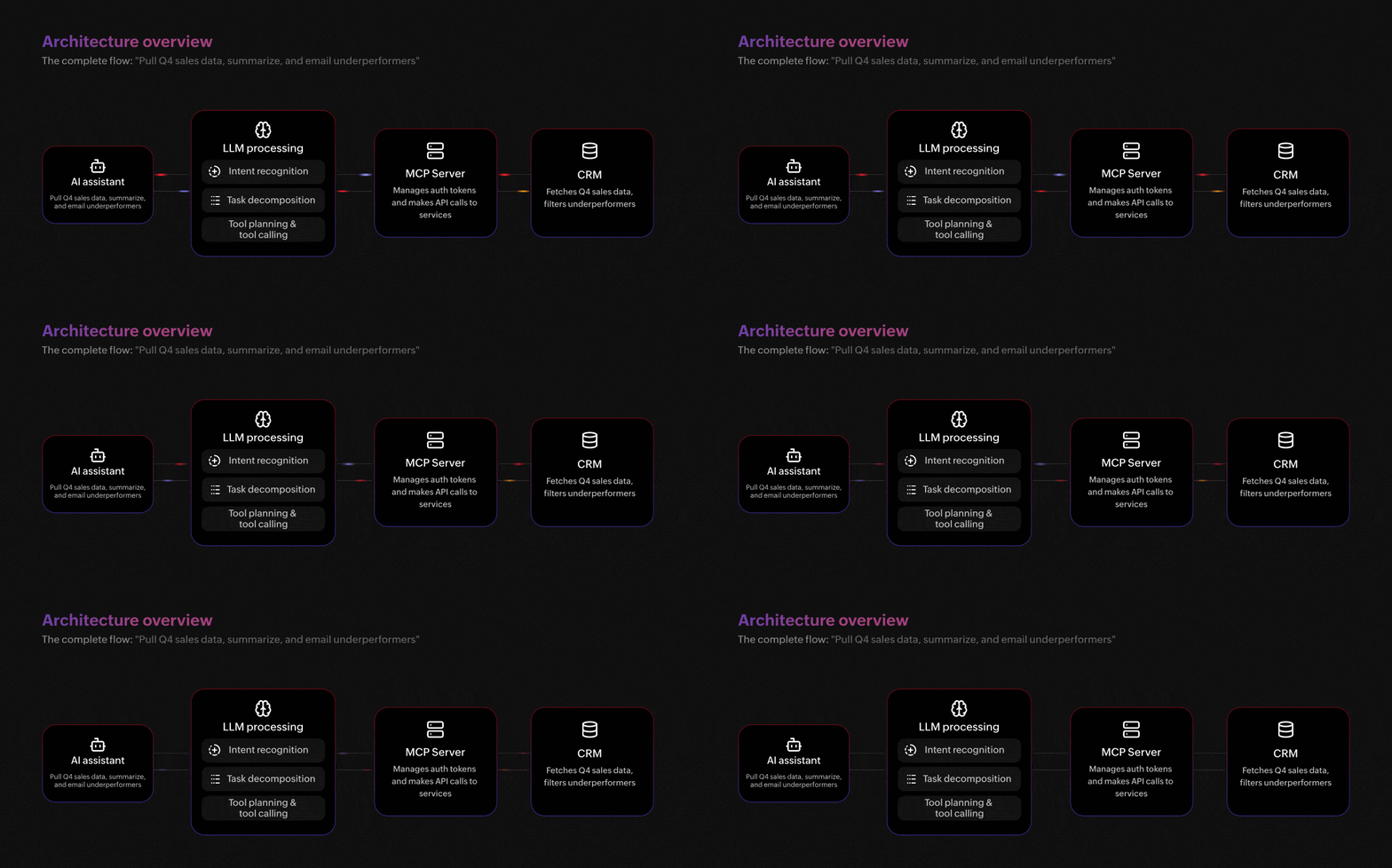
On the surface, MCP is simple: ask your AI assistant to pull last quarter's sales data, summarize it, and draft a follow-up email to underperforming accounts. Behind the scenes, here's what MCP is doing:
You type your request — "Pull Q4 sales data, summarize, and email underperformers."
The AI assistant picks this up and sends it to the LLM, which figures out what you're asking for and breaks it into steps. It then talks to the MCP server, which handles the connections to your tools, in this case, your CRM. The CRM pulls the sales data and identifies the underperformers. Everything flows back to the assistant, which summarizes the results and drafts the email for you.
MCP architecture and components
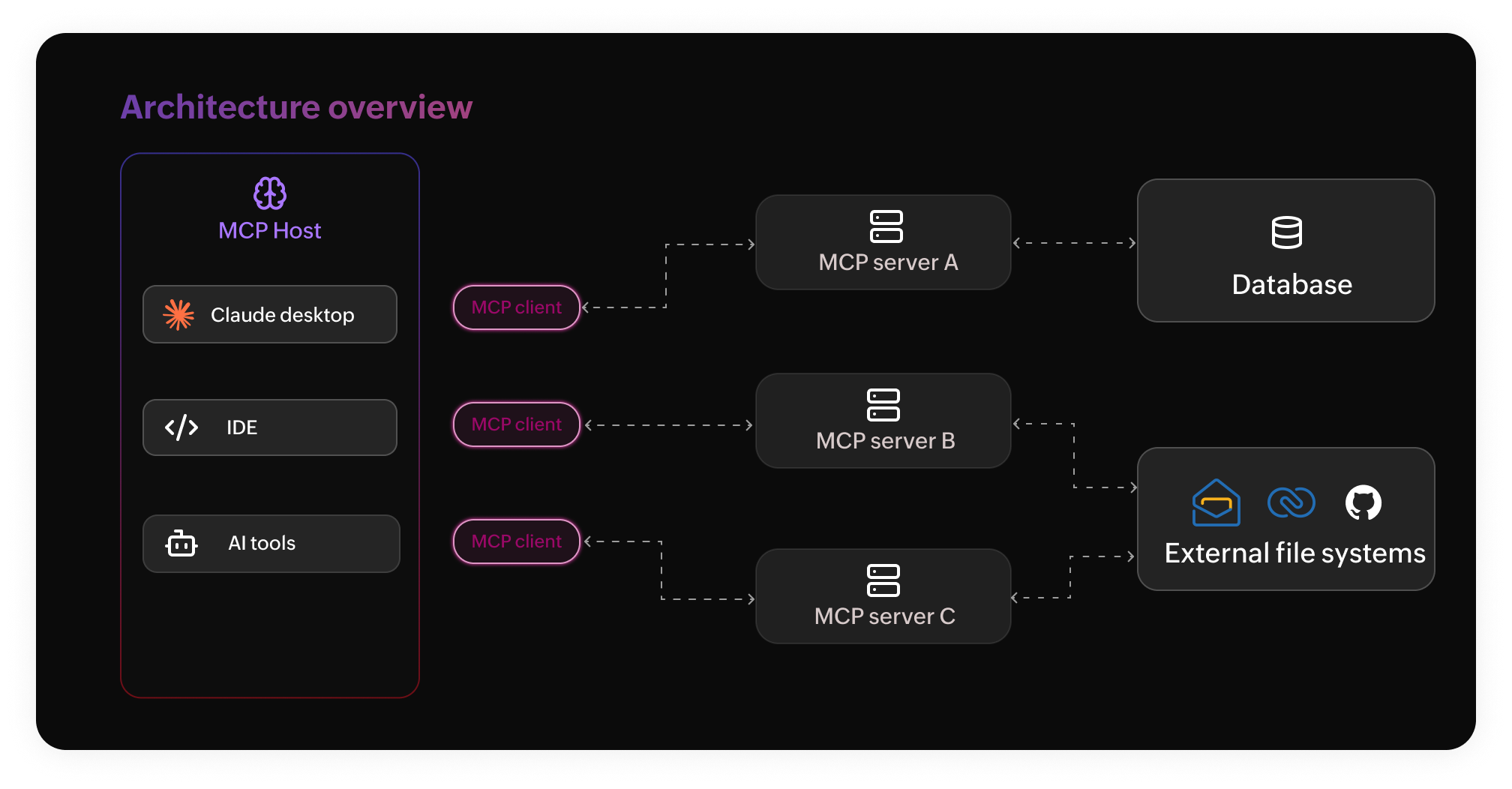
MCP has three key participants:
MCP host: The MCP host is the AI agent that runs and manages the MCP client.
MCP client: The MCP client is a component that helps the AI agent (the host) communicate with the MCP server, allowing access to databases.
MCP server: The MCP server is the bridge through which the AI agent is connected to an external system.
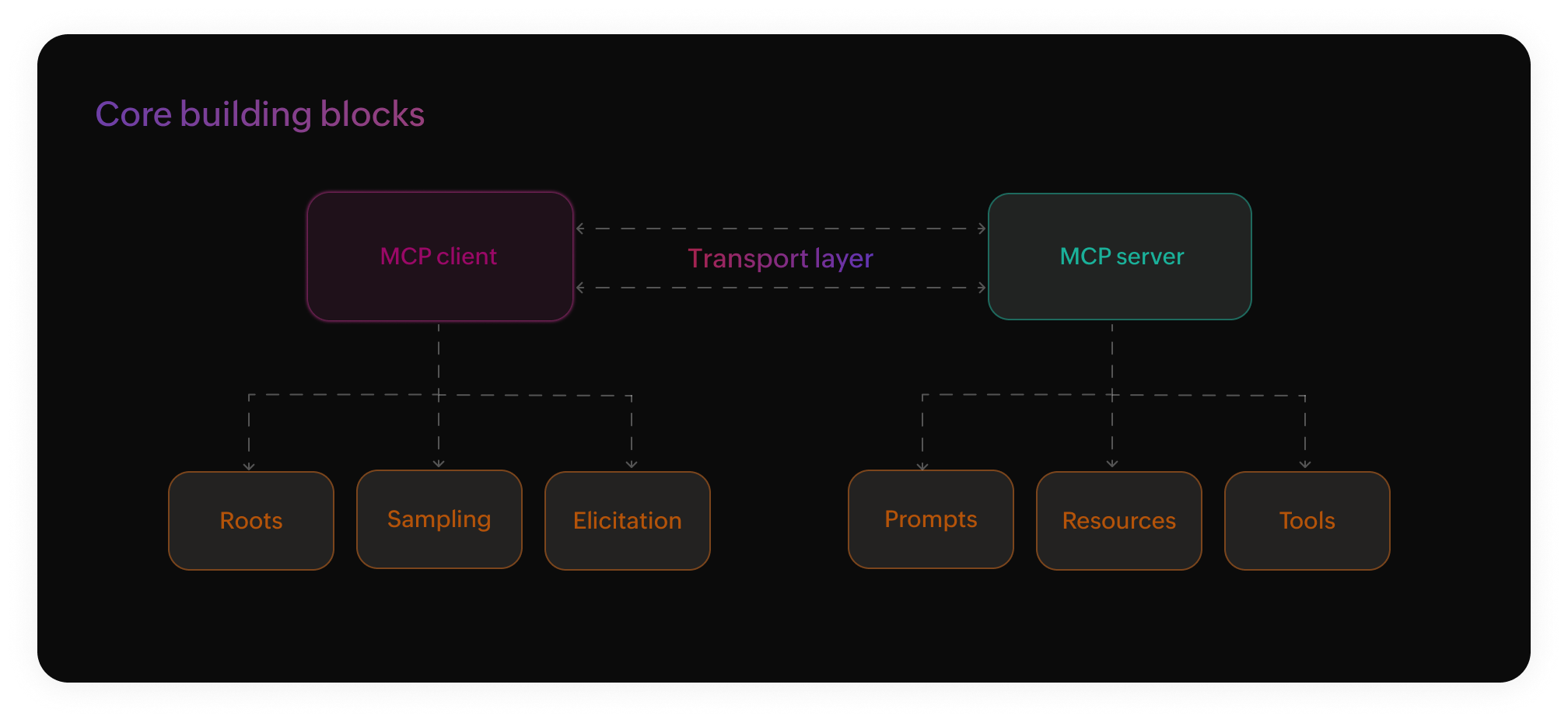
The core building blocks of MCP are known as primitives. They define what clients and servers are allowed to share and do with each other.
Core primitives servers can expose
Prompts: Templates that guide the models to interact with specific tools and resources.
Resources: Structured data sources that allow the AI agent to access (read-only) information.
Tools: Executable functions that the AI agent can call to retrieve information or perform actions outside its context (like API calls and querying databases) based on user requests.
Core primitive clients can expose
Roots: Gives servers a secure boundary for file access, allowing AI agents to safely read and edit specific local files and ensuring that the rest of the file system remains strictly off limits.
Sampling: Enables servers to request AI agents for help when needed and creates a two-way interaction where the AI agent and external tools can initiate requests to each other, allowing the client to be in complete control of permissions, privacy, and security measures.
Elicitation: Enables servers to request specific information or confirm a task from the client, maintaining a high precision in automated workflows.
Your AI agent could be querying your CRM, triggering a Zoho workflow, and updating a spreadsheet—all from a single prompt. Try it for yourself with Zoho MCP.

Comments