What are suppression lists and how do they work in Zoho ZeptoMail?
- Published : June 29, 2023
- Last Updated : February 6, 2026
- 1.9K Views
- 4 Min Read

Transactional email deliverability is often viewed as a sender-focused effort—from protecting their reputation to tweaking the content they send. However, even with all of the right practices in place, delivery can still fail if the recipient address is invalid, unreachable, or repeatedly causes delivery issues.
To prevent this, ensure that transactional emails are sent only to valid and reachable email addresses. One of the most effective ways to do this is to use suppression lists.
What is a Suppression List?
A suppression list contains email addresses where email sending is intentionally blocked. By suppressing risky addresses and maintaining a clean recipient list, you can improve sender-focused metrics like domain and IP reputation, which will improve the overall transactional email deliverability. This article explains what suppression lists are, why they’re important, and how they’re handled in ZeptoMail.
What goes into a suppression list?
- Bounced emails: Suppression lists for transactional emails mainly focus on addresses that cause bounces. A bounce occurs when an email is returned to the sender without being delivered to the recipient. Because transactional emails are expected to be delivered promptly and reliably, bounces—especially hard bounces—are undesirable and should be addressed at the earliest instance.
- Spam instances: Given transactional emails’ purpose and usage, they aren’t expected to land in the spam folder. But, there may be cases when they ultimately end up there. Spam complaints are a strong negative signal for mailbox providers and can directly affect deliverability. Adding these addresses to a suppression list, along with corrective actions on content or sending behavior, helps prevent further reputation damage.
- Inactive accounts: Some addresses may remain valid, but show no engagement over extended periods. While inactivity alone doesn’t always indicate a problem, consistently sending transactional emails to dormant accounts can still affect deliverability over time. Monitoring engagement rates such as opens and clicks can help identify these addresses and determine whether they should be added to the suppression list.
Why are suppression lists necessary for transactional emails?
Email regulations such as the CAN-SPAM Act require bulk email providers to add an unsubscribe button to their emails. Transactional emails, however, are exempt from unsubscribes due to their mandatory nature.
This creates a unique challenge: Transactional emails must be delivered, but repeated failures or complaints cannot be ignored. Suppression lists help bridge this gap by allowing senders to prevent delivery to problematic addresses while maintaining compliance and sender reputation.
Suppression lists in Zoho ZeptoMail
As a service focused on transactional emails, Zoho ZeptoMail provides built-in suppression list management to help senders maintain a strong sender reputation and consistent delivery.
ZeptoMail allows email addresses or domains to be added to the suppression list either manually or automatically. While there’s no overall cap on the number of suppressed addresses, up to 50 email addresses can be added in a single action.
Types of suppression supported in ZeptoMail
Email suppression
Email suppression prevents emails from being delivered to the specified email address or domain. This type of suppression is commonly used to block addresses that cause bounces, spam complaints, or repeated delivery failures.
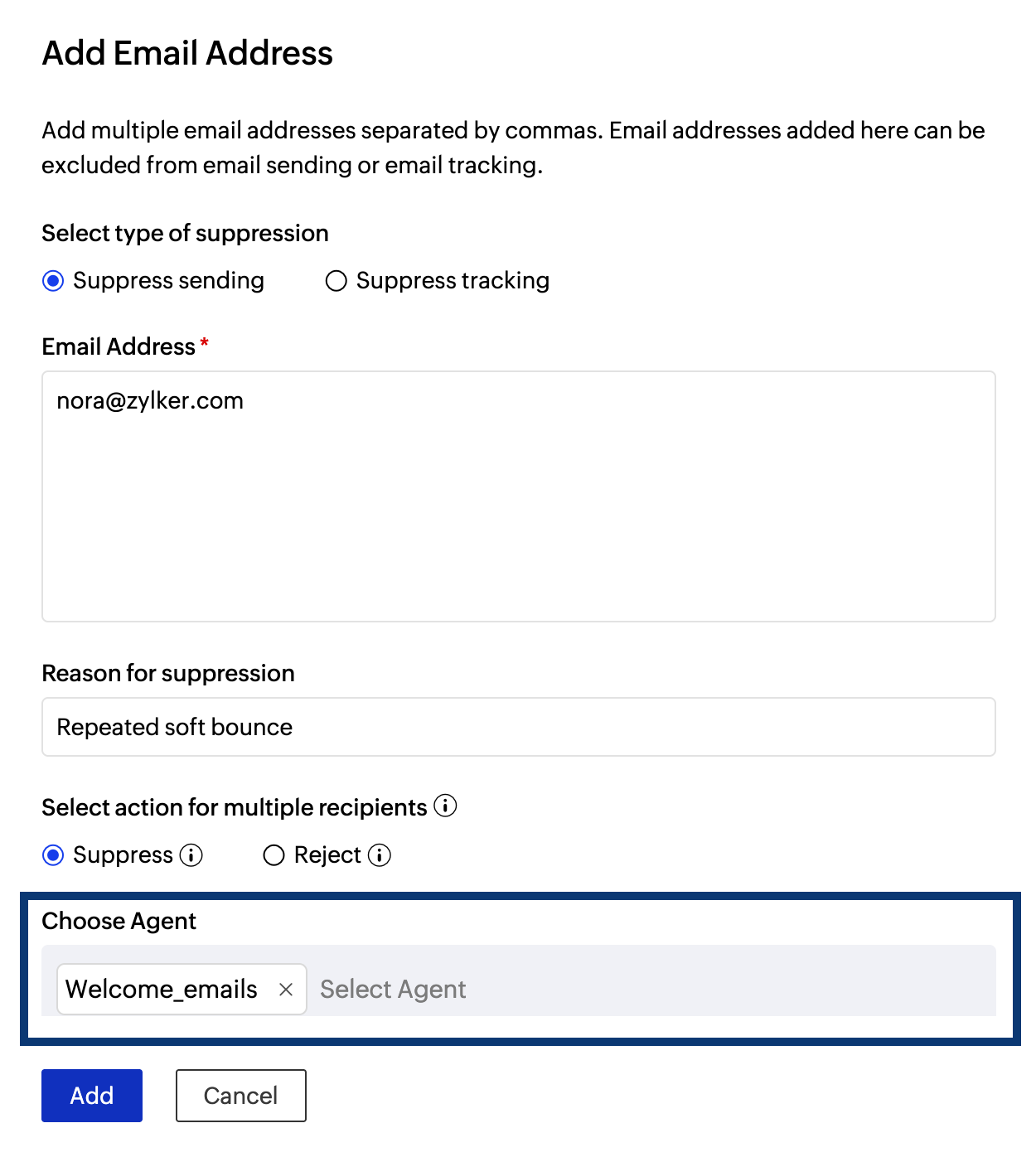
Email suppression can also be limited to specific Agents, allowing greater control over how suppression is applied across transactional workflows.
Tracking suppression
Tracking suppression stops open and click tracking for specific email addresses without blocking delivery. This is typically used when recipients explicitly request not to have their email activity tracked.
Suppress vs. reject in multi-recipient emails
When transactional emails are sent to multiple recipients, ZeptoMail provides two options to handle suppressed addresses.
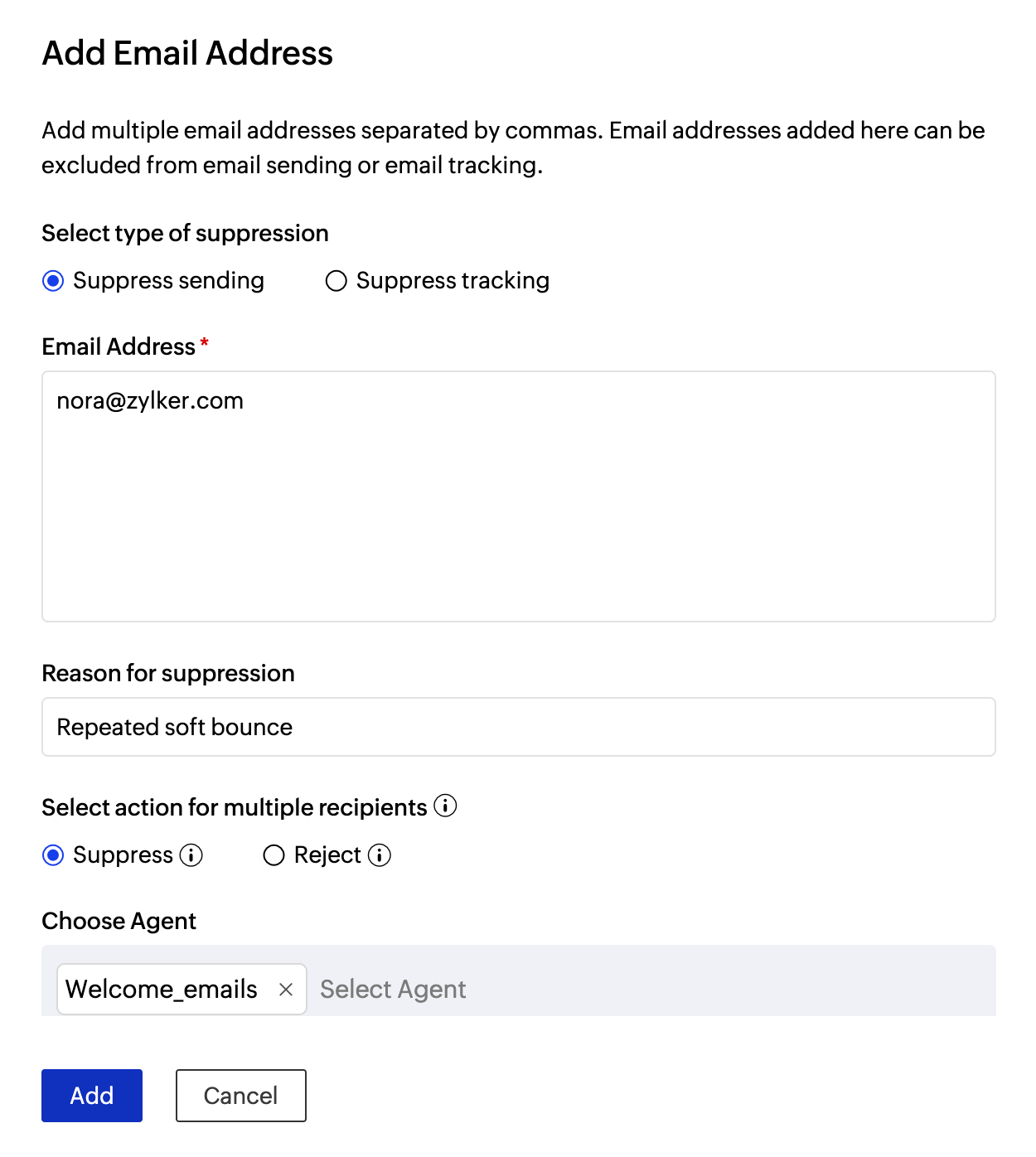
- Suppress: Ensures that only the suppressed email address is excluded while the email continues to be delivered to the remaining recipients.
- Reject: Prevents the email from being delivered to all recipients if a suppressed address is included.
This distinction allows senders to choose the most appropriate behavior based on the nature of the transactional message.
How to add suppression list entries in ZeptoMail?
Email addresses and domains can be added to the suppression list in a few simple steps. To do that:
- Login to ZeptoMail and go to the Suppression list section on the left pane.
- Navigate to the desired tab based on the type of entity you would like to suppress — email address or domain.
- Click the Add button.
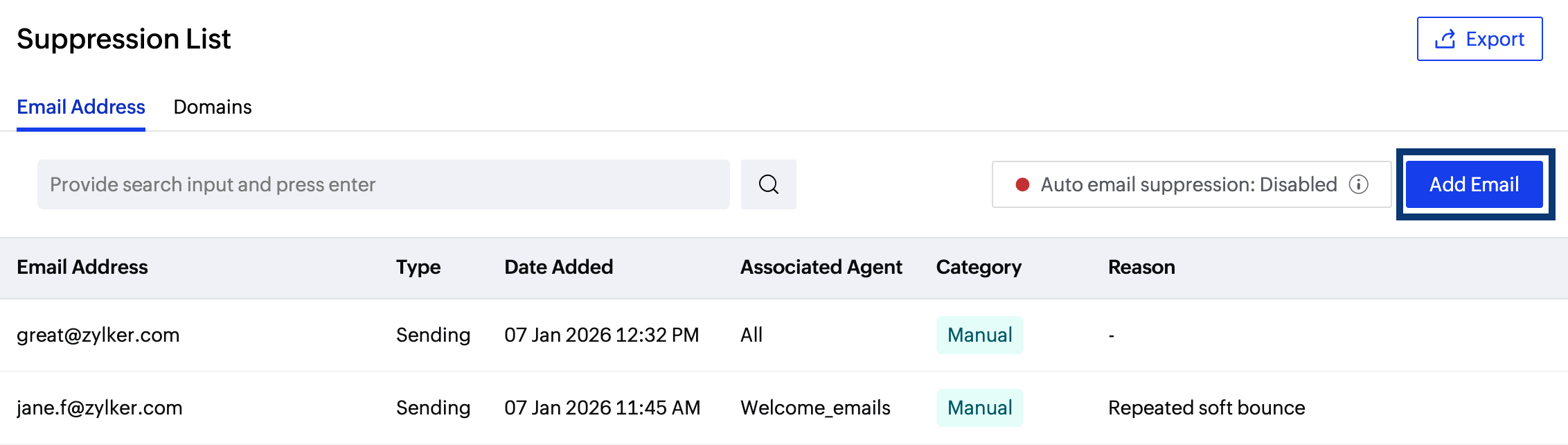
- Select the type of suppression — email or tracking.
- In the dialog box that appears, enter the relevant value, reason for suppression and the type of suppression action to be performed for multi-recipient entries.
- You can limit email suppression to specific Agents too. In this case, only the email addresses linked to those selected Agent(s) alone will be suppressed. However, emails will still be delivered to the email address, if it is present in other Agents that aren't included in the list.
- Click Add to confirm the addition.
Auto suppression for hard bounces
ZeptoMail offers auto-suppression to automatically add hard-bounced email addresses to the suppression list. By preventing repeated delivery attempts to unreachable addresses, auto-suppression helps reduce bounce rates and protect long-term sender reputation. This option can be enabled or disabled based on the sender’s operational requirements.
Managing suppression lists
Suppression lists require periodic review. ZeptoMail allows senders to manage suppression entries by:
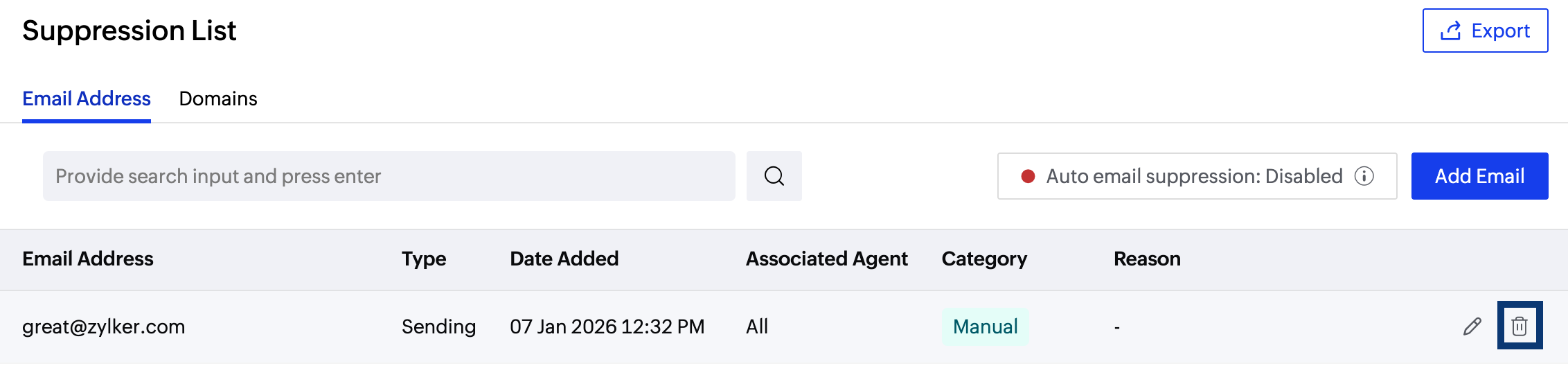
- Editing them.
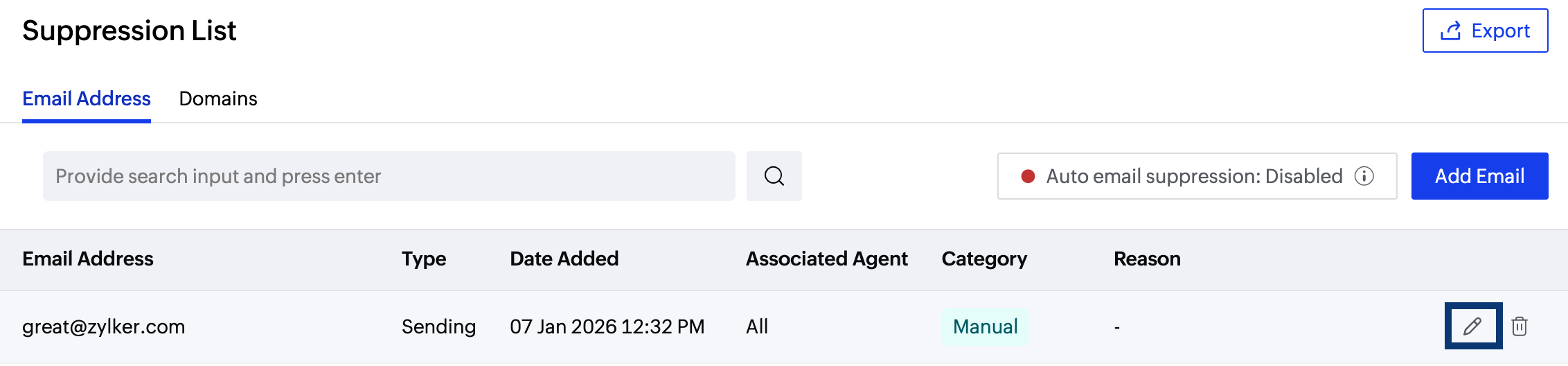
- Deleting suppression entries when necessary.
- Exporting suppression logs for analysis.
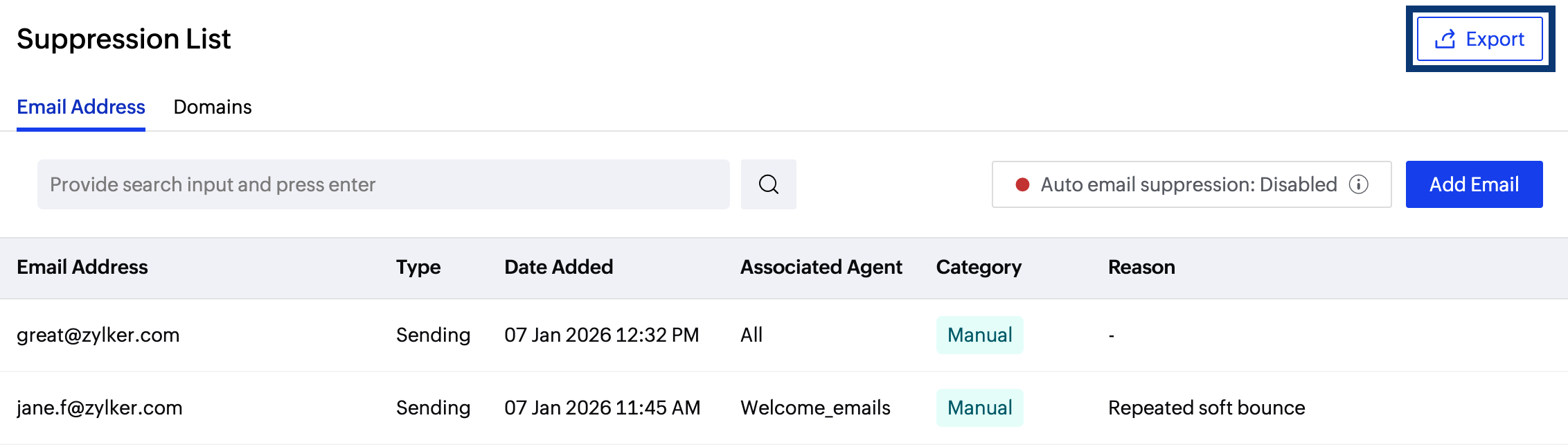
Regularly reviewing suppression data helps identify recurring issues and improve the overall transactional email deliverability.
Wrapping up
Suppression lists play a critical role in transactional email sending where timely delivery is crucial. By preventing repeated failures, suppression lists help protect sender reputation and ensure reliable email delivery.
Zoho ZeptoMail’s suppression list capabilities are designed specifically for transactional email use cases, providing the flexibility and control needed to maintain high deliverability standards. For detailed procedures on adding, editing, deleting, or exporting suppression list entries in Zoho ZeptoMail, refer to the suppression list help documentation.