

- HOME
- Taxes & compliance
- Bridging software for MTD: When it works and when to move
Bridging software for MTD: When it works and when to move
Status quo
In the Administrative Burdens Advisory Board's 2026 Tell ABAB survey of more than 10,000 small businesses and agents, only around half of respondents (49.4%) said they keep their day-to-day records in an MTD-compatible accounting package. Spreadsheets were the most common alternative at 22.6%, followed by using an accountant or bookkeeper (11.3%), other accounting packages (10.4%) and paper records (6.3%). This is not limited to microbusinesses. It includes small to medium business owners who are more comfortable managing their income and expenses in notebooks and spreadsheets.
With MTD for Income Tax now live, sole traders and landlords in the UK are required to digitally record their income and expenses, and file quarterly updates and year-end tax submissions to HMRC digitally. HMRC expected around 864,000 sole traders and landlords to be in scope from April 2026, with around 1,077,000 more joining from April 2027. Imagine if a significant percentage of them are still relying on paper or spreadsheets!
Be it microbusinesses or the practising firms managing these clients, with every quarterly update approaching, they are expected to manage MTD for Income Tax via either MTD-compatible accounting software or bridging software.
What is MTD bridging software?
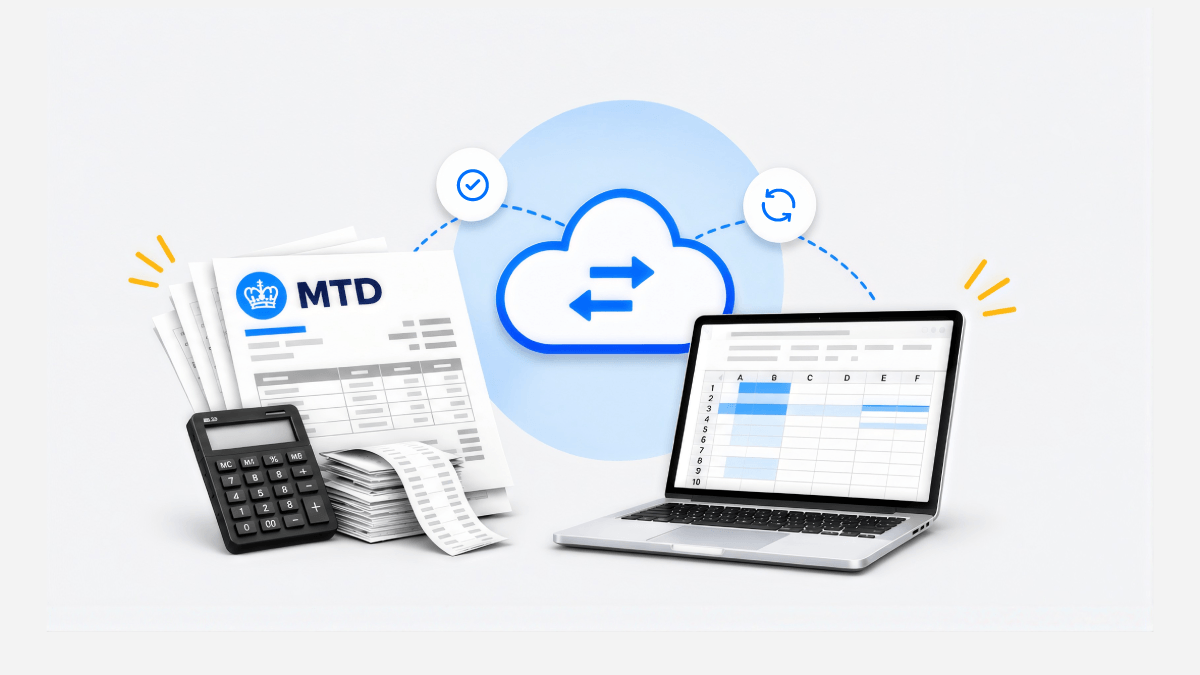
Businesses still managing their finances in spreadsheets find it comfortable to leverage a bridging solution instead of accounting software. Bridging software is an online tool that connects spreadsheets, such as Excel, Zoho Sheets, or Google Sheets, to HMRC in the tax-compliant format (VAT or Income Tax) and ensures the filing happens digitally as per the mandate.
Can I use spreadsheets for MTD?
Yes. Please note that bridging software is a compliant route, as HMRC accepts spreadsheets as digital records as long as they are digitally linked to MTD-compatible software. But it only solves the submission step. The spreadsheet underneath is still fully editable, and it depends on the user getting it right every quarter.
What are digital links?
Typing transactions into digital records is fine. What is restricted is manually copying data between pieces of software once it is in the digital chain, which is why digital links are needed. Under MTD for Income Tax, this means, no re-typing and no copy and paste between records or software. Only formula-linked cells, imports, and direct software connections count as digital links.
Why do businesses choose bridging software?
From our experience with practising firms and their clients, one of the main reasons for wanting to stick to a bridging solution is the hesitance to change. Given there would be years of data, changing and migrating it to another system seems like a lot of effort. The second reason is the cost of maintaining an accounting suite. Third, is the comfort they have had using their system for years.
Change is inevitable, and so one might as well look into adopting change.
Why comprehensive accounting software? Here's when it's time to move on
Bridging software lets businesses keep their records in spreadsheets while still meeting MTD for Income Tax requirements, by creating the digital links needed to send data to HMRC. It can be a practical starting point for those already comfortable with spreadsheets, but it has limits: Errors are still easy to make, version control and security can suffer when files are shared, and it offers none of the day-to-day tools that make quarterly updates simpler.
For businesses starting fresh, or those planning to grow, full accounting software is often the better long-term choice. You can explore the differences in more detail in our guide to bridging software vs. accounting software for MTD for Income Tax.
Interestingly, the same Tell ABAB survey found that 57.9% of respondents would rather file their taxes using an integrated system, one that combines day-to-day record keeping with tax submissions, than a separate one.
Here are a few signs it may be time to switch:
Your spreadsheet has grown to the point where checking it each quarter takes hours.
You are about to cross a VAT or MTD threshold, or your income is growing.
You want your accountant or bookkeeper to see your records in real time rather than receiving files by email.
You would like invoicing, expenses, and reporting in the same place as your tax submissions.
Where does Zoho fit in this ecosystem?
Today, sole traders and landlords can leverage Zoho Books for free to manage their MTD for Income Tax or VAT requirements, either directly or via their accounting and bookkeeping partners, and stay fully compliant with the mandate, seamlessly. Zoho Books is the comprehensive accounting solution that allows practising firms and their clients to manage bookkeeping, tax, and compliance without a hassle. From receivables and payables to taxation and reporting, you have it all with Zoho Books.
Recently, Zoho Practice, an exclusive practice management solution for UK accounting and bookkeeping firms, was announced as free. Firms can manage their own practice and handle their clients' bookkeeping and tax compliance, for those on Zoho Books, including the free plan.
The bridging version of Zoho Books is live too, so that the significant percentage of micro and small businesses who are still comfortable with spreadsheets, and their practising partners, can use Zoho and take the first step with the comprehensive accounting platform. The best part for practising firms is that you can access this capability of importing client spreadsheets (in Zoho template) via Zoho Practice too.
Frequently asked questions
Is bridging software HMRC-compliant?
Yes, as long as the bridging software is HMRC-recognised for the tax you need to file. HMRC publishes lists of recognised software for MTD for VAT and MTD for Income Tax, so check that your chosen tool appears on the right list.
Can I use Excel or Zoho or Google Sheets for MTD for Income Tax?
Yes. You can keep your digital records in Excel, Zoho Sheets, or Google Sheets, provided they are digitally linked to MTD-compatible bridging software that sends your quarterly updates and end-of-year submission to HMRC.
Can I copy and paste figures into my bridging software?
Under MTD for Income Tax, HMRC's guidance says records must not be moved by re-typing or copy-and-paste once they are in the digital chain. Use formula links, imports, or a direct connection instead.
Do I need accounting software for MTD?
Not necessarily. You need MTD-compatible software, which can be either full accounting software or bridging software used with spreadsheets. Accounting software does more, but bridging software meets the requirement.
Is there free MTD software?
Yes. Some providers offer free MTD-compatible software. Zoho Books, for example, has a free plan for sole traders and landlords that covers MTD for Income Tax quarterly updates, the end-of-year submission, and MTD for VAT.
When is the next MTD for Income Tax quarterly update due?
For the 2026 to 2027 tax year, the remaining standard deadlines are 7 February 2027, and 7 May 2027. If you are new to MTD for Income Tax this year, HMRC has confirmed no penalty points will apply for late quarterly updates in the first 12 months.
Can I switch from bridging software to accounting software later?
Yes. Many businesses start with bridging software and move to full accounting software once they are comfortable with MTD. Choosing a provider that offers both can make the move simpler.