


Submit Trips
Once you’ve created a trip and added all the required information in your trip itinerary, you can submit the trip for approval.
Submit a Trip
To submit a trip for approval:
Prerequisite: The trip must be in the Draft status to be submitted for approval.
To submit a trip:
- Go to Trips under Travel & Expense on the left sidebar.
- Click the trip in the Draft status that you want to submit.
- If you want to add additional information to your trip details or want to communicate with the travel team or the approvers, you can click the Comment icon next to Edit and add your comments. Also, you can revisit the comments thread later and take a look at the discussions.
- Click Submit in the top right corner.
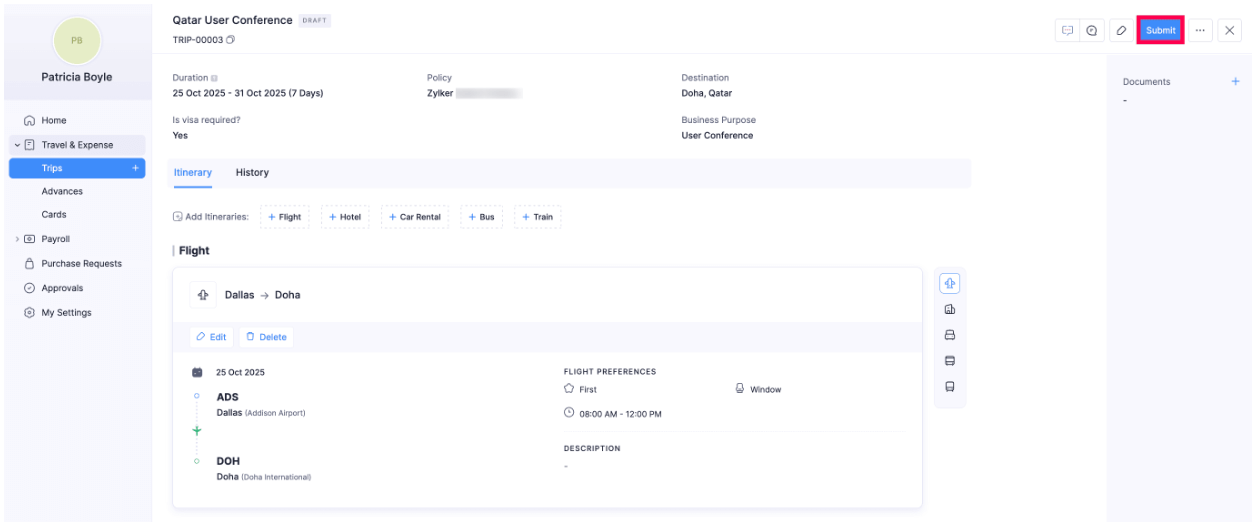
- In the pop-up, select your approver, enter the email address to whom you want to carbon copy the trip, and click Submit. Your trip request will be submitted to your approver.
Note: You can copy a person in the notification email only if the feature has been enabled by your admin.
Recall Submitted Trip
If you want to edit a trip that has already been submitted, you need to recall it and then make the necessary changes.
Note:
- You can only recall a trip that is Awaiting Approval.
- While recalling a trip, a notification email will be sent to your approver.
To recall a trip:
- Go to Trips under Travel & Expense on the left sidebar.
- Click the submitted trip you want to recall.
- Click Recall at the top right corner of the trip.
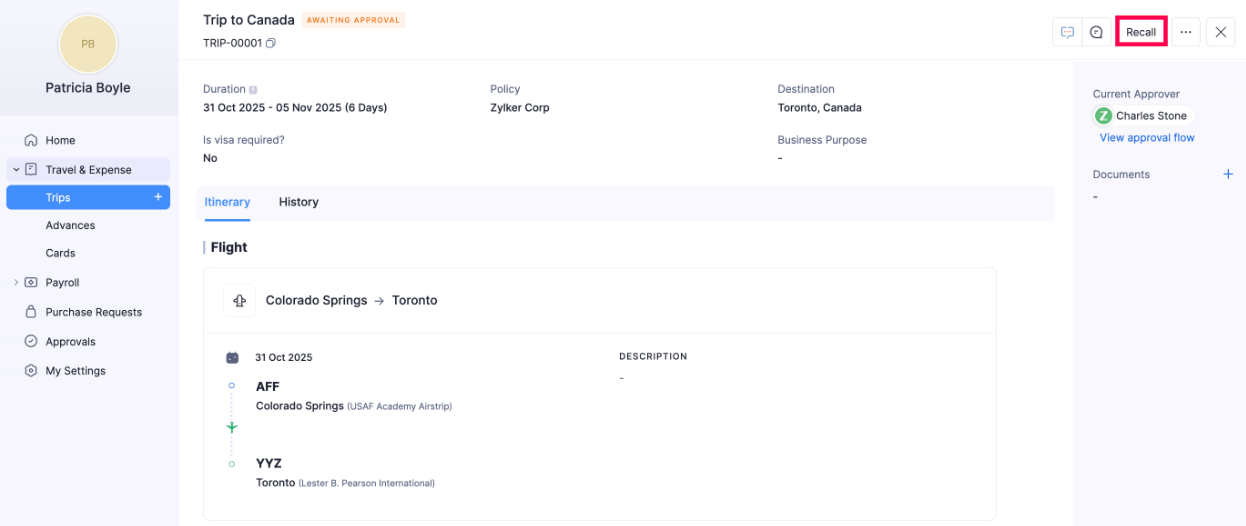
- In the pop-up, click Confirm to recall you trip.
- Your trip will be assigned the status Recalled, and you can edit it as required.
- Click the Edit icon and make the necessary changes.
- Click Update.
- Click Re-submit to submit it for approval again.
- In the pop-up, verify your approver and enter the email address to whom you want to carbon copy the trip.
- Click Re-submit. Your trip will be re-submitted for approval again with the updated details.
Resubmit Rejected Trips
If your trip gets rejected, the approver will have added a reason for rejection. Also, they may have added comments to your trip. You can make the necessary changes based on the reason or reply to the comments and re-submit the trip.
To re-submit a trip:
- Go to Trips under Travel & Expense on the left sidebar.
- Click the rejected trip that you want to re-submit.
- Click the Comments icon next to Edit to view them. Make changes based on the reason for rejection or comments on your trip.
- Click Re-submit at the top right side of the page.
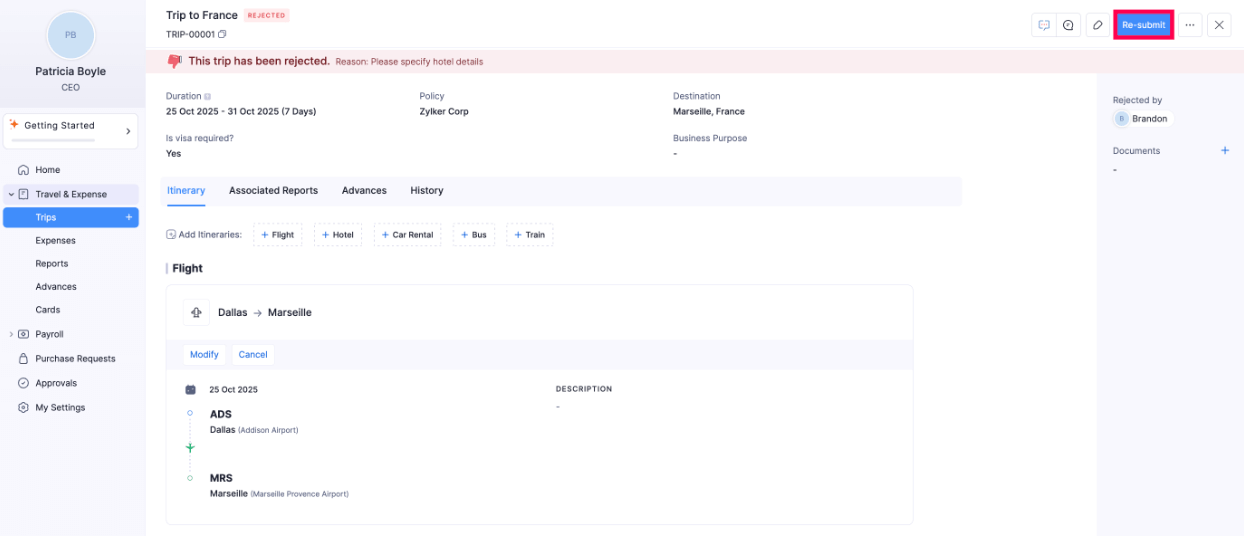
- In the pop-up that opens, click Re-submit.