
Welcome to Zoho Checkout
Zoho Checkout is an online payment collection tool that lets you create branded payment pages and accept payments from your customers without writing any code. You can collect one-time payments, set up recurring payment pages, offer discount coupons, and stay tax compliant across multiple regions.
Zoho Checkout handles hosting, security, and compliance so you can focus on getting paid.
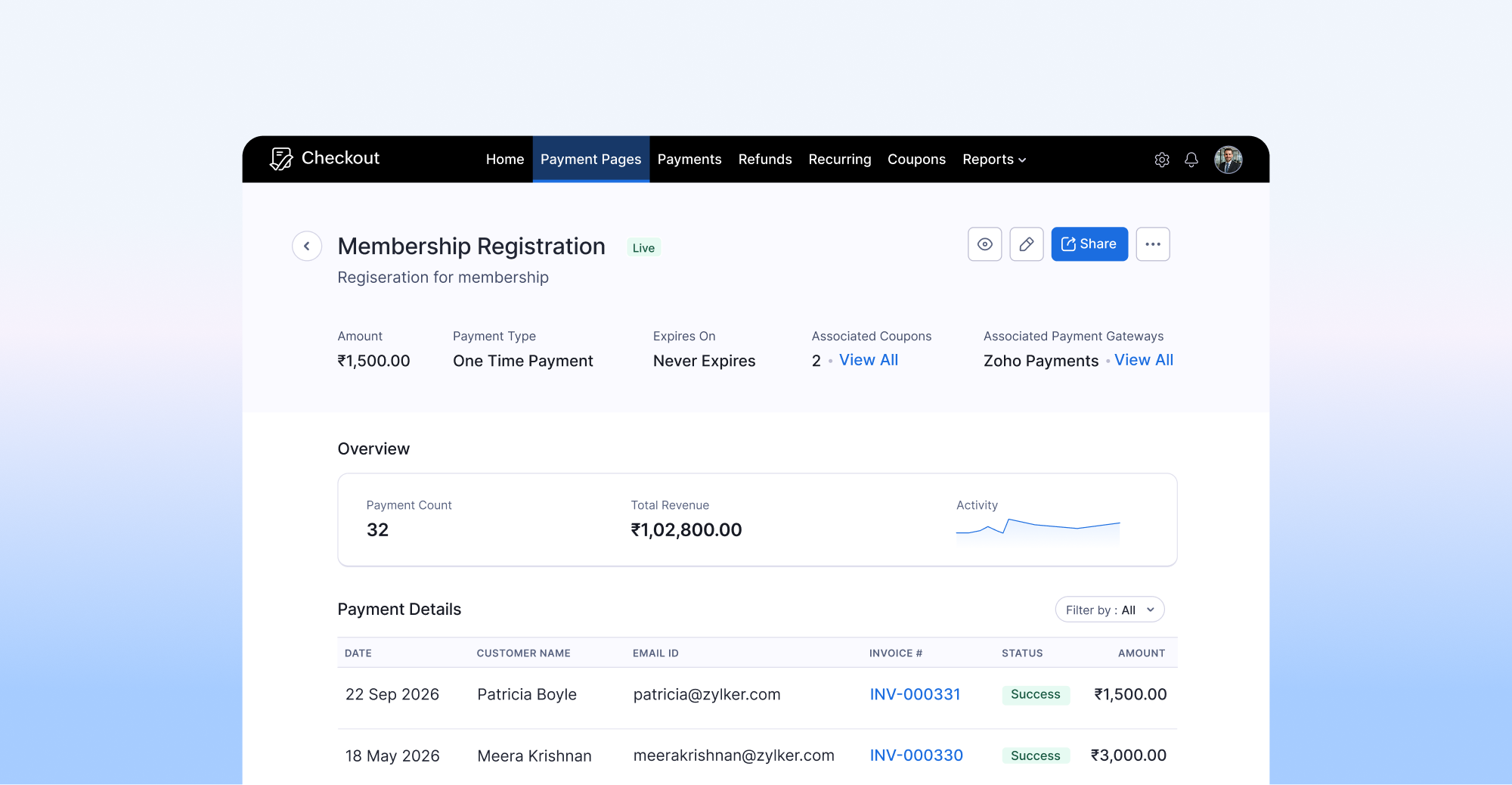
Who Is Zoho Checkout For?
Zoho Checkout is built for businesses and individuals who need a simple way to collect payments online. Whether you sell products, offer services, accept donations, or run a subscription-based business, you can create a payment page tailored to your needs. You do not need a website to use Zoho Checkout. You can share your payment pages through direct links, QR codes, or social media. If you do have a website, you can embed your pages or add a payment button directly to it.
What Can You Do with Zoho Checkout?
Create payment pages
Set up customized payment pages with your branding, product details, pricing, and billing preferences. Choose between one-time and recurring payment models, or let your customers decide at checkout.
Accept payments through multiple gateways
Connect payment gateways based on your edition to process transactions. You can associate different gateways with different payment pages based on your region or business needs.
Collect recurring payments
Configure billing frequency, billing day, and billing duration to automate recurring charges. Zoho Checkout handles retries for failed payments automatically.
Share pages your way
Share your payment pages through direct links, QR codes, social media, website embeds, or embedded buttons. No technical setup is required.
Apply coupons and discounts
Create percentage-based or flat-amount discount coupons and associate them with your payment pages. You can set redemption limits, validity periods, and control how coupons apply to one-time and recurring payments.
Stay tax compliant
Configure tax rates, tax groups, tax rules, and exemptions based on your region. Zoho Checkout supports GST (India, Singapore, Australia), VAT (Kenya, GCC countries), HST/PST/QST (Canada), and Sales Tax (United States). Taxes are calculated automatically at checkout based on your configuration.
Track payments and refunds
View payment details, filter transactions, and issue full or partial refunds directly from Zoho Checkout. Refunded transactions generate credit notes automatically.
Customize your checkout experience
Add your logo, terms and conditions, custom fields, and CAPTCHA to your payment pages. Configure thank-you messages or redirect customers to a specific URL after payment.
Analyze performance
Generate reports on individual payment pages to track revenue, transaction volume, and payment activity over time.
What’s next?
Explore the rest of this help guide to set up your organization, connect a payment gateway, configure taxes, and create your first payment page. Use the sidebar to find the topic you need.