
How do I set up the M-PESA integration?
Once you’ve created the app in Daraja 2.0 and generated the credentials, you can set up the payment gateway in Zoho Checkout.
Here’s how you can do it:
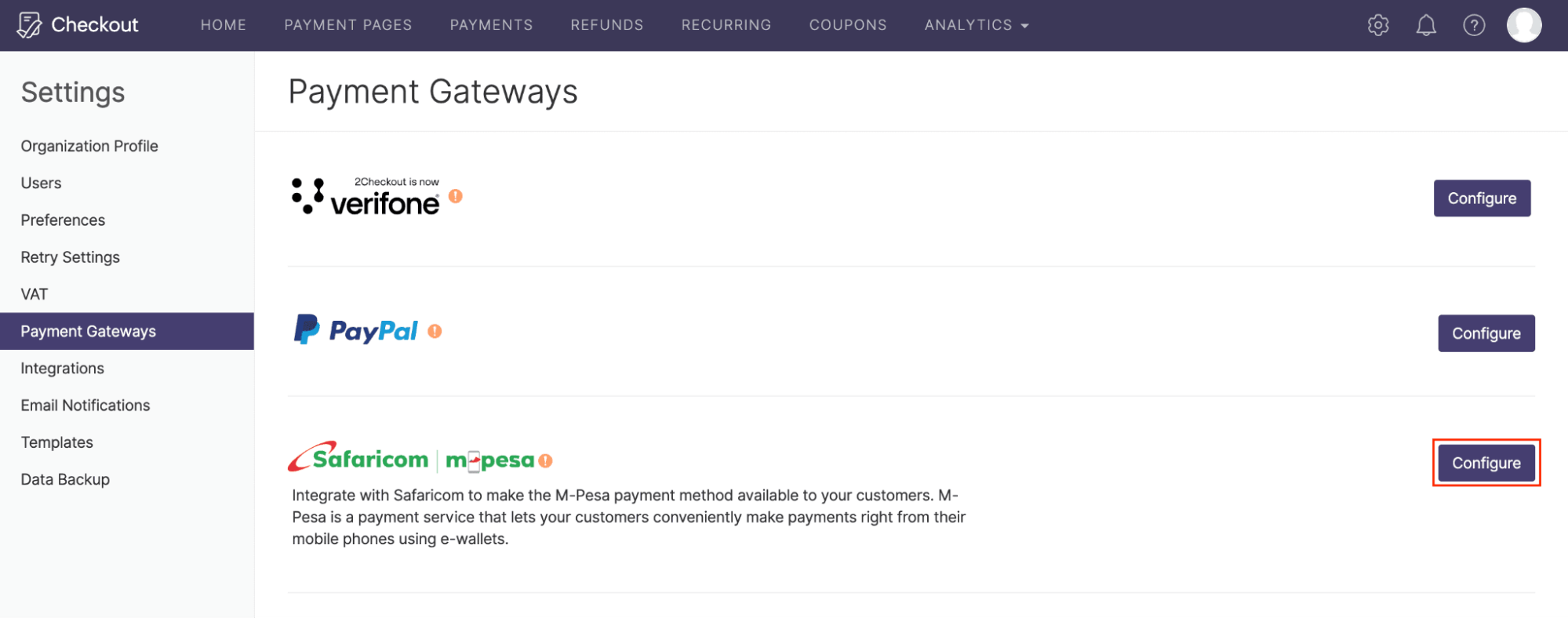
Navigate to Settings, and click Payment Gateways.
Click Configure near Safaricom M-PESA.
Fill in the following details to proceed with the setup.
Field Description Business Short Code A unique identification number is sent to your email by the Safaricom team. This allows customers to pay business accounts through the M-PESA app. Consumer Key The Consumer Key can be copied from the app you created in Daraja 2.0 (Safaricom Developers’ Portal). Consumer Secret The Consumer Secret can be copied from the app you created in Daraja 2.0 (Safaricom Developers’ Portal). Pass Key The Pass Key is sent to your email by the Safaricom team once you take your app live. 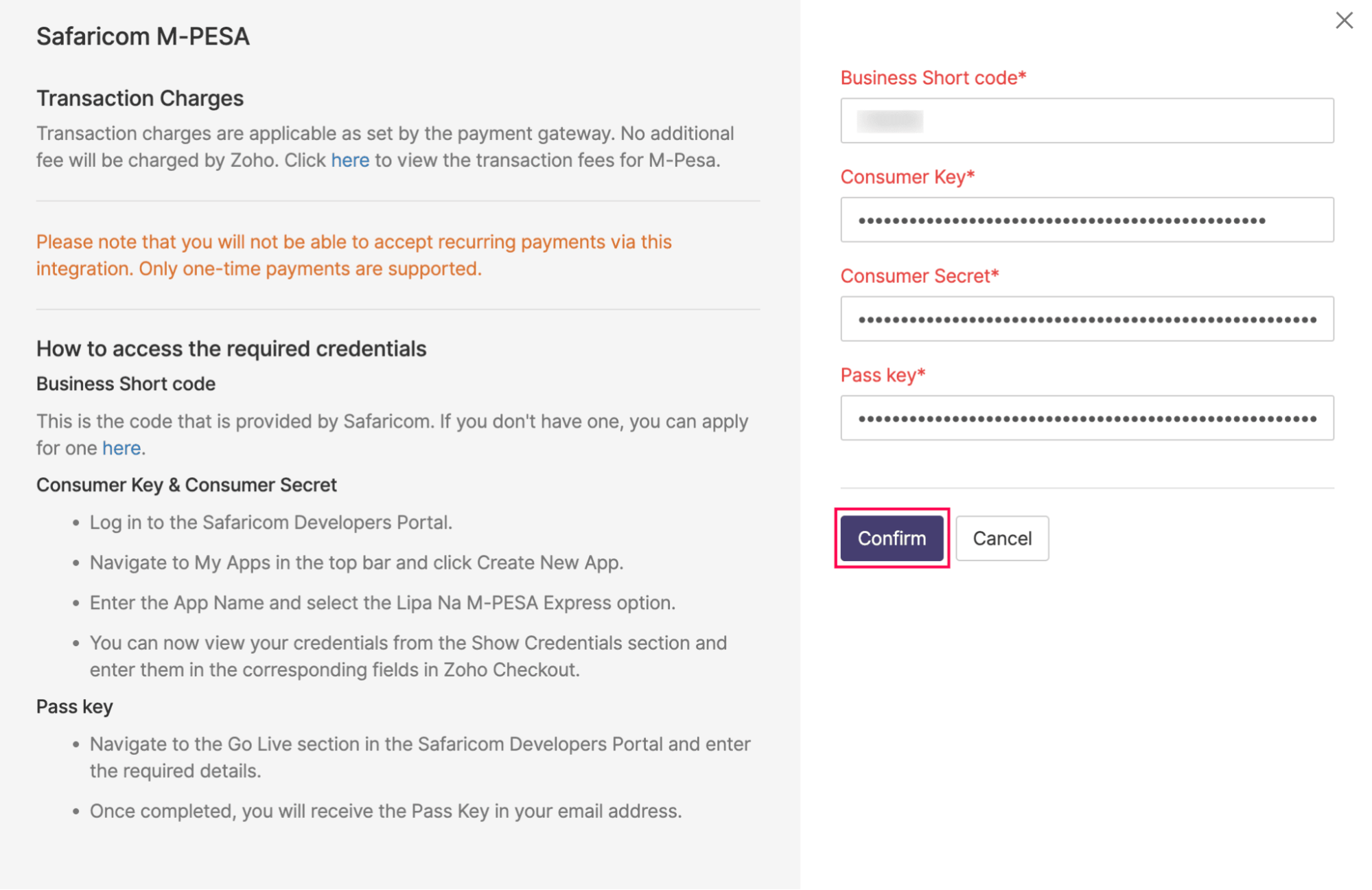
Click Confirm.
Your app created on Daraja 2.0 will be integrated with Zoho Checkout.