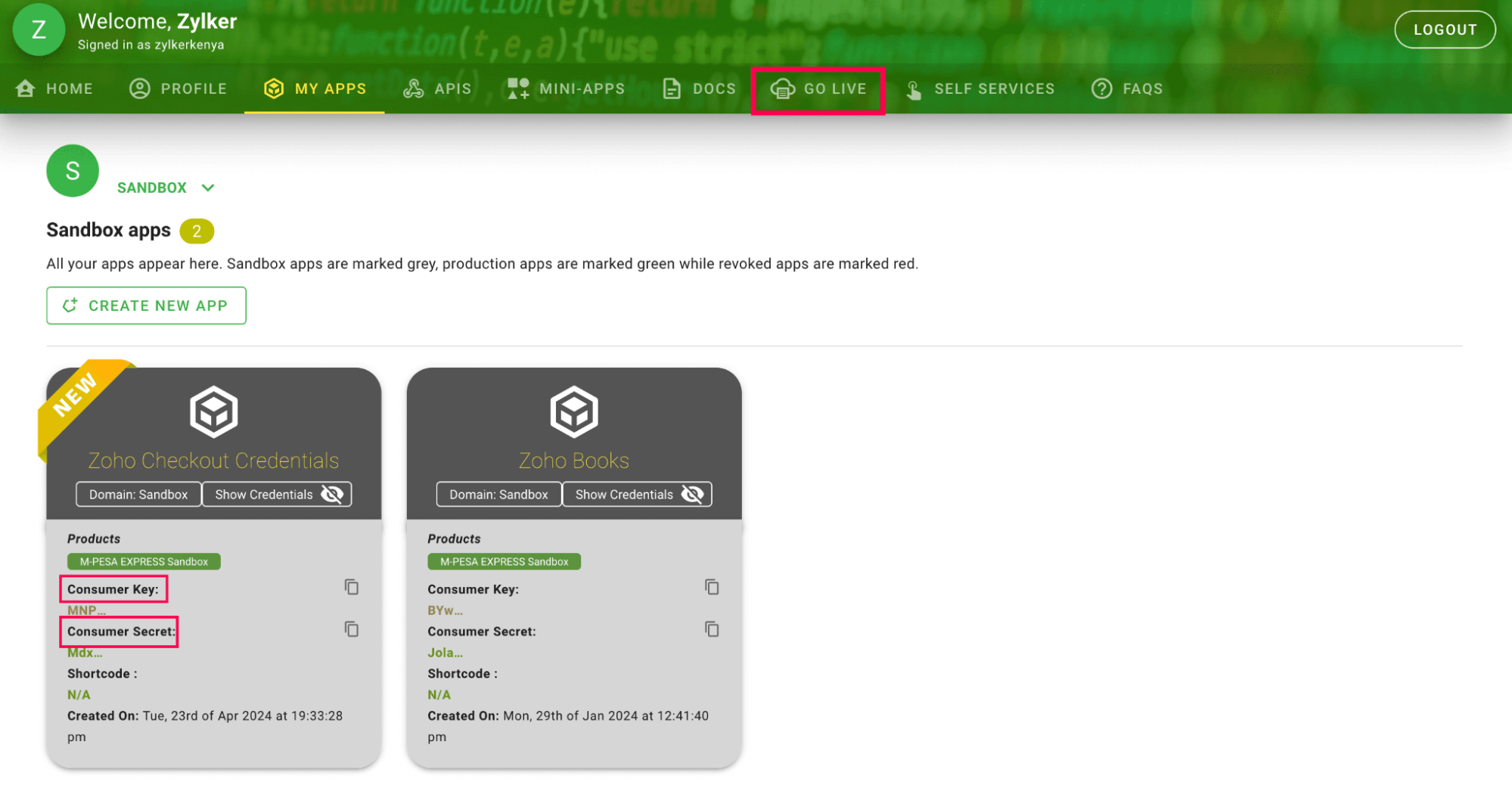
How to generate app credentials in Daraja 2.0?
Before setting up M-Pesa in Zoho Checkout, create an app in Daraja 2.0 (Safaricom Developers’ Portal) to generate credentials to configure the payment gateway.
Here's how you can do it:
- Go to the Daraja 2.0 website.
- Click LOGIN / SIGN UP.
- Enter your login credentials if you have an account, or click GO TO SIGN UP to create an account.
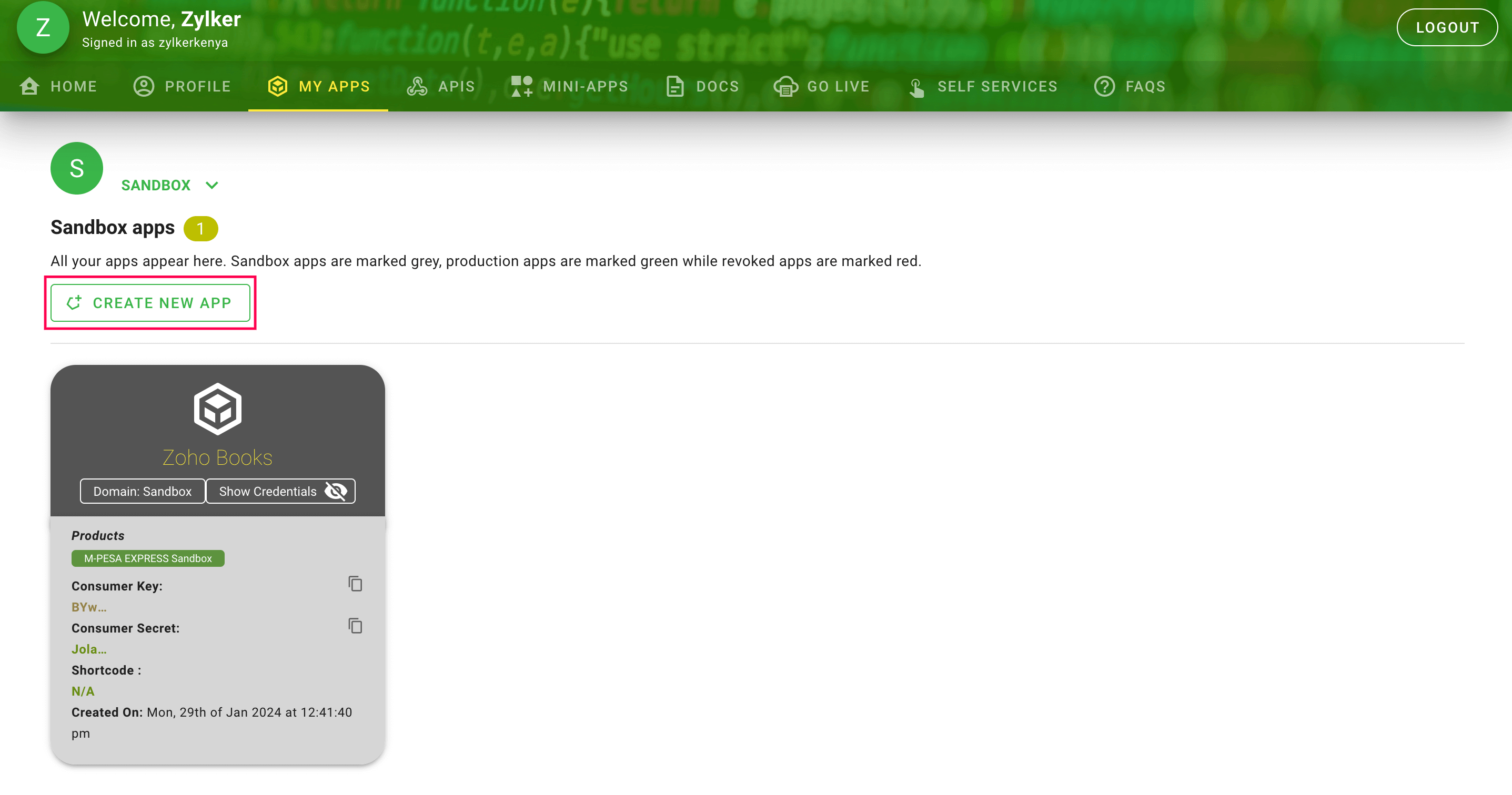
- Click CREATE NEW APP in the Search Bar on the MY APPS page.
Provide a name for the app and mark the check box next to Lipa Na M-PESA Sandbox.
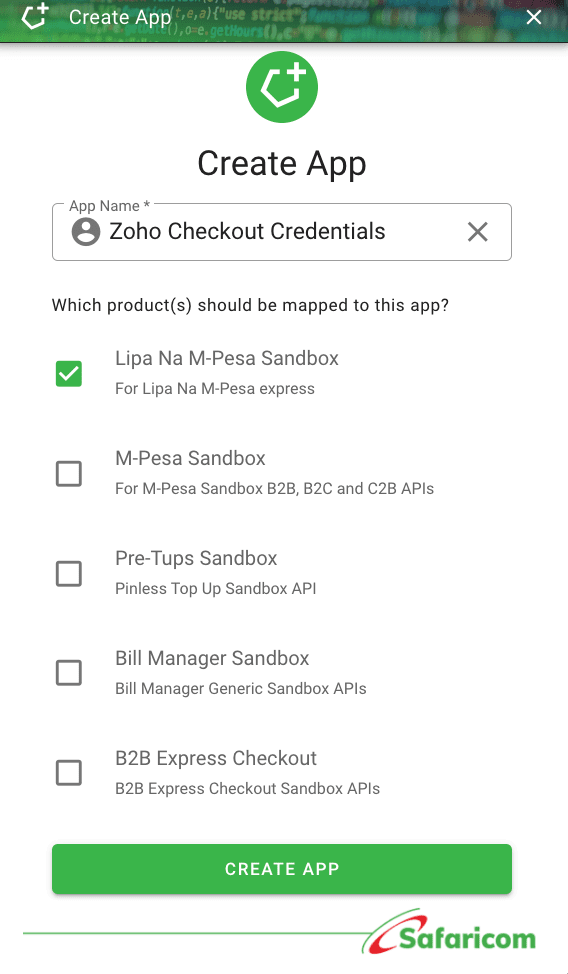
Click CREATE APP. Your app will be created and displayed on the My Apps page along with the Consumer Key and the Consumer Secret.
Go to the GO LIVE tab to take the app live.
Fill in the required fields, and a pass key will be generated and sent to you via email.
These credentials can be used to set up the M-PESA integration in Zoho Checkout.