
How do I set up and configure PayPal Payments Pro with Zoho Checkout?
Note: The PayPal Payments Pro integration has been deprecated and is only available for existing users.
- Click the Settings icon and select Payment Gateways.
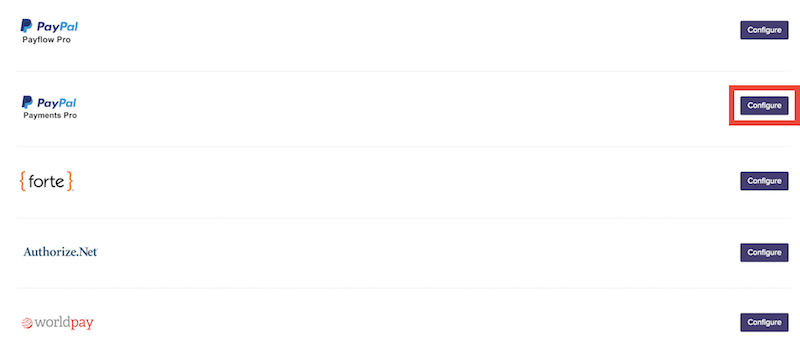
- Click the Configure button under PayPal Payments Pro to begin the setup process.
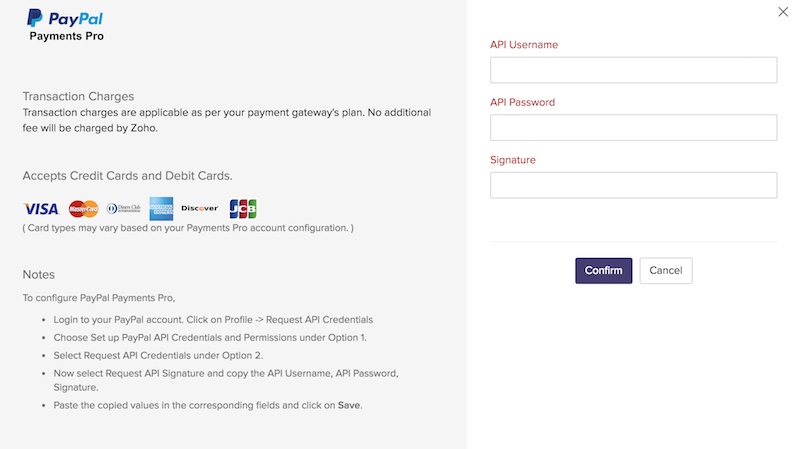
- In the popup that follows, you will be asked for your required PayPal Payments Pro credentials. You can generate these details through your PayPal merchant account in the following way:
- Login to your PayPal account. Click on Profile -> Request API Credentials.
- Choose Set up PayPal API Credentials and Permissions under Option 1.
- Select Request API Credentials under Option 2.
- Now select Request API Signature and copy the API Username, API Password, Signature.
- Paste the copied values in the corresponding fields and click Confirm.
- Your PayPal Payments Pro account is now configured with Zoho Checkout.