How do I set up the Zoho Books - Zoho Checkout integration?
An organization you create in Zoho Books can be added to Zoho Checkout and vice versa. To do so, follow the steps below:
- If it’s a Zoho Books organization that you’re looking to add to Zoho Checkout, click the picture icon on the top right corner of your screen.
- Click Manage. You will be redirected to the page from where you can merge organizations. Click Add Organization.
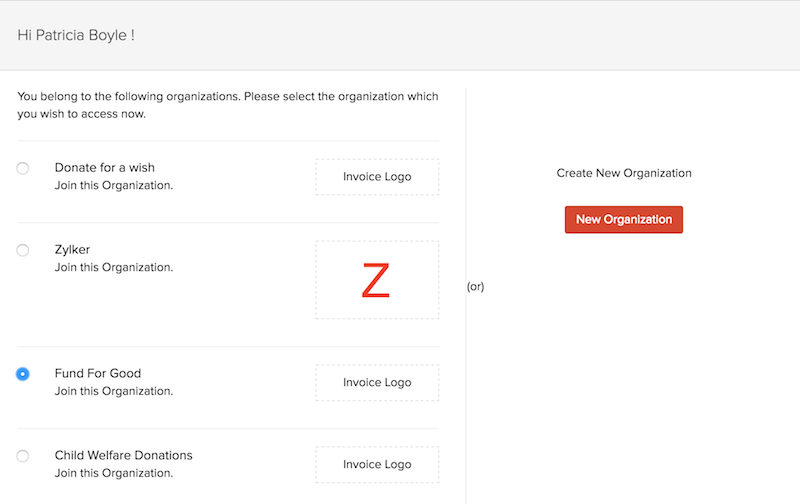
- Your Zoho Books organizations will be listed and you can select the one you want to add to Zoho Checkout by clicking Join Organization.
- If it’s a Zoho Checkout organization that you’re looking to add to Zoho Books, click the picture icon on the top right corner of your screen.
- Click Manage. You will be redirected to the page from where you can merge organizations. Click Add Organization.
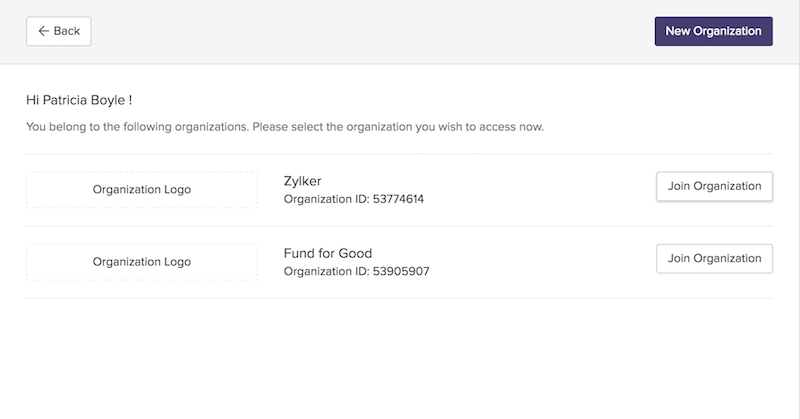
- Select your Zoho Checkout organization that you want to add to Zoho Books by clicking Join Organization.