
How do I configure Slack in Zoho Checkout?
Integrate Zoho Checkout with Slack to receive updates about the payment status in your Slack channel.
To integrate:
Go to Settings and then select Integrations.
Click Add to Slack next to Slack.
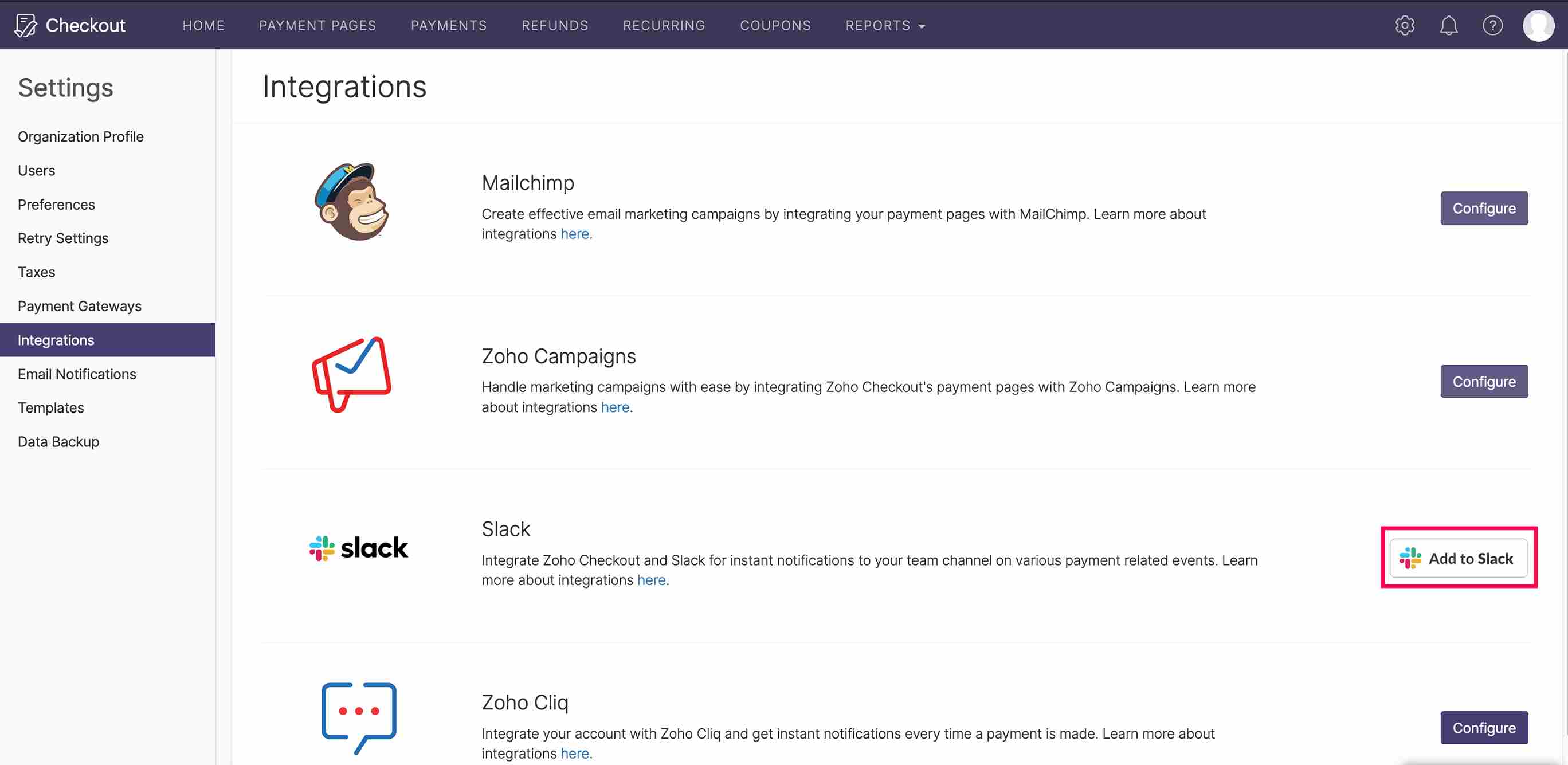
- Log in with your Slack credentials.
- Select the channel in which you would like to receive notifications from Zoho Checkout.
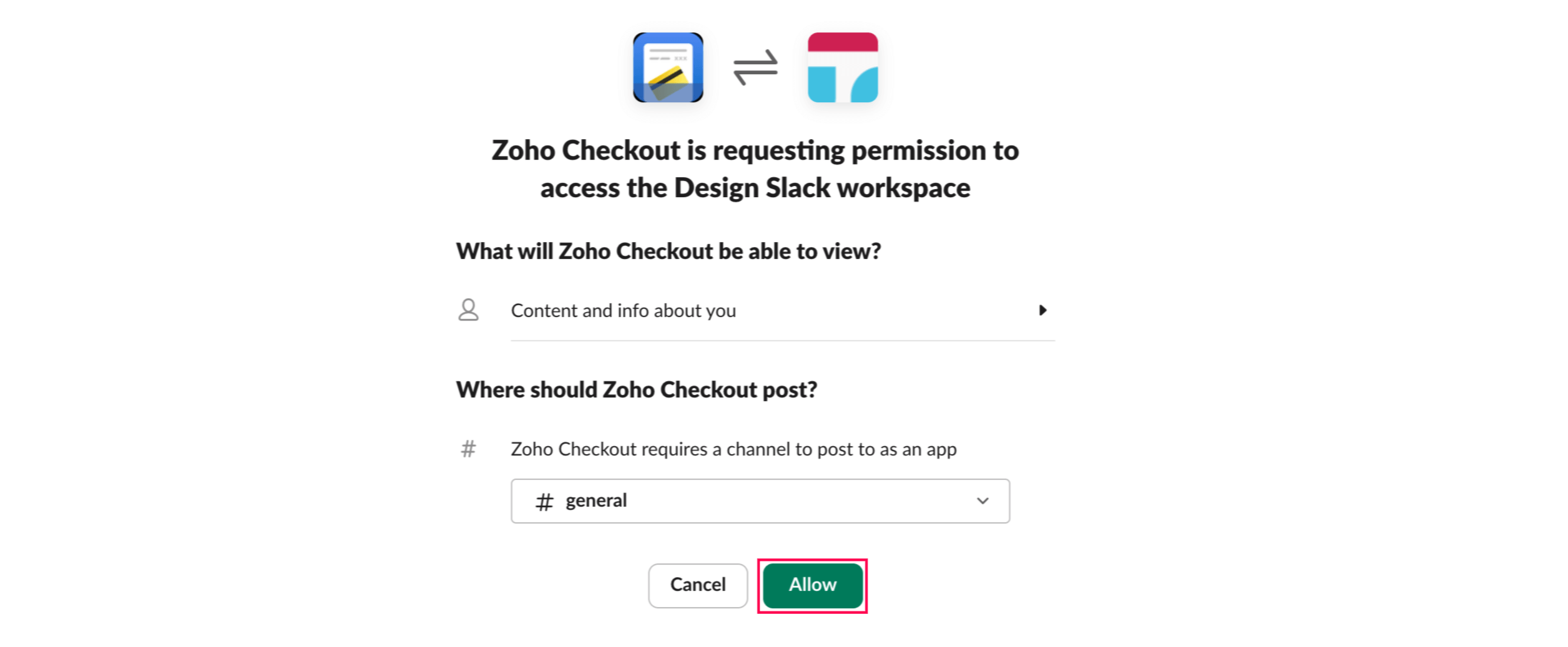
- Click Allow to integrate Zoho Checkout with Slack.
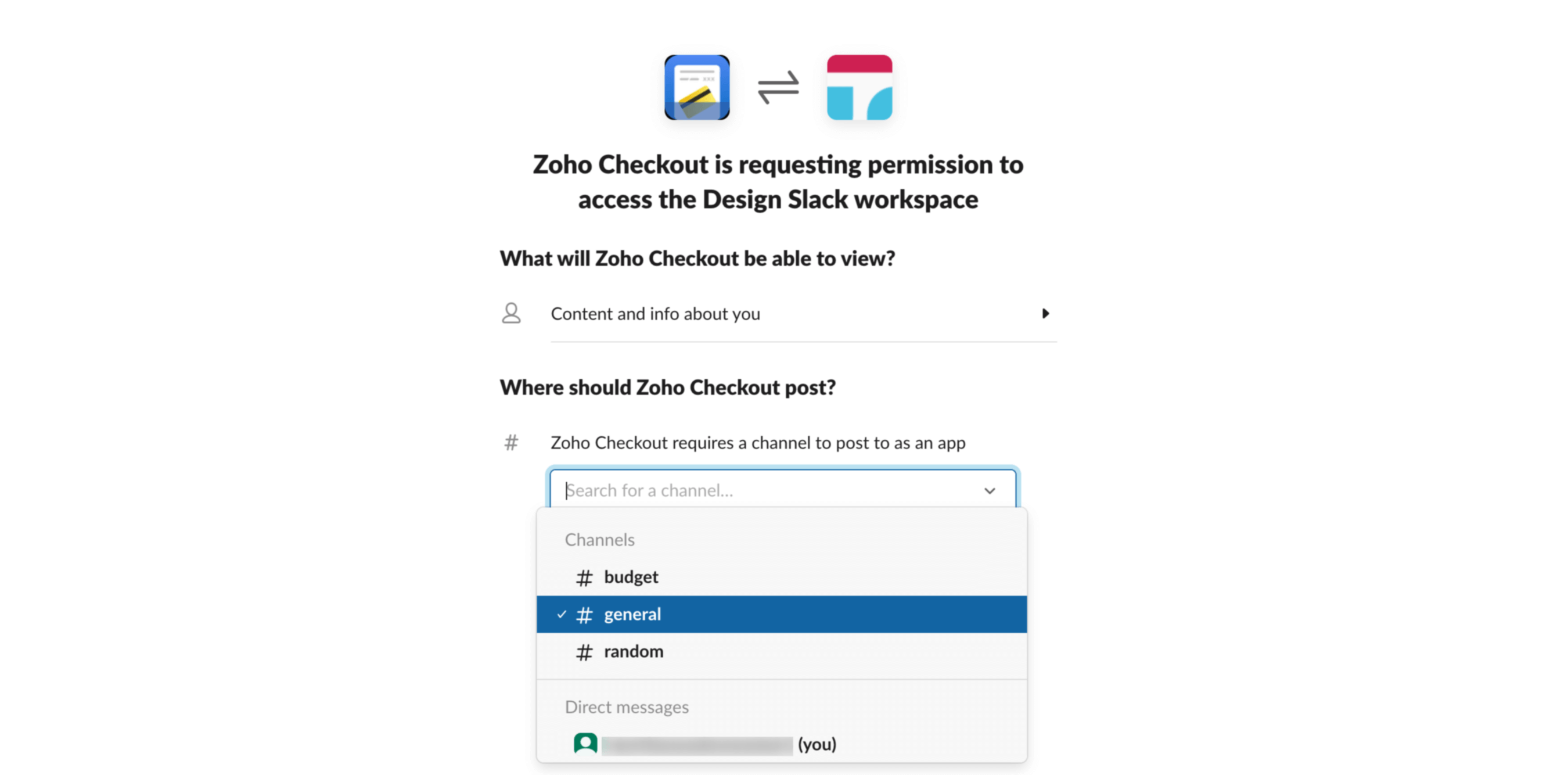
You will have successfully integrated Zoho Checkout with Slack.
Note This integration is only available in the Professional plan of Zoho Checkout.