
How do I configure Mailchimp inside Zoho Checkout?
Integrate Zoho Checkout with Mailchimp to pair your payment page with a mailing list. When integrated, the customers who use Zoho Checkout’s payment page to make payments will automatically be added to a Mailchimp mailing list, which you can use to run marketing campaigns for your company.
To integrate:
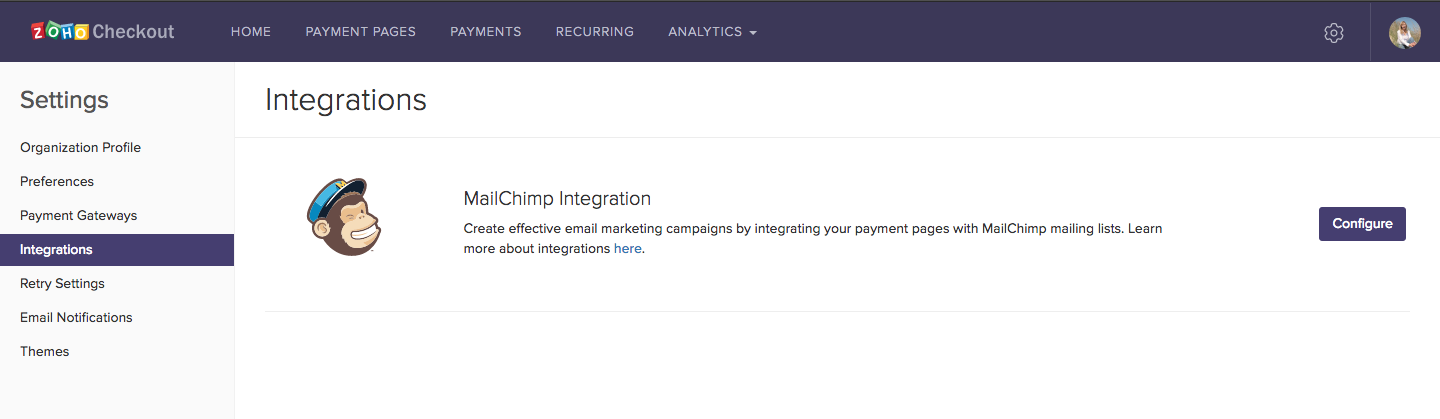
- Go to Settings and then select Integrations.
- Click Configure next to Mailchimp.
- Select the organization that you would like to integrate with from the dropdown.
- Click Save.

You will have successfully integrated Zoho Checkout with Mailchimp.
Note: This integration is only available in the Professional plan of Zoho Checkout.