
How do I add taxes and configure my default tax preferences?
The tax rates will be pre-populated based on the different GST tax slabs prescribed by the Government. In case you have to create any new tax or tax group, you can do so.
To create a new tax or tax group:
- Go to Settings and select Taxes.
- Navigate to the Tax Rates tab.
- Click +New Tax or +New Tax Group.
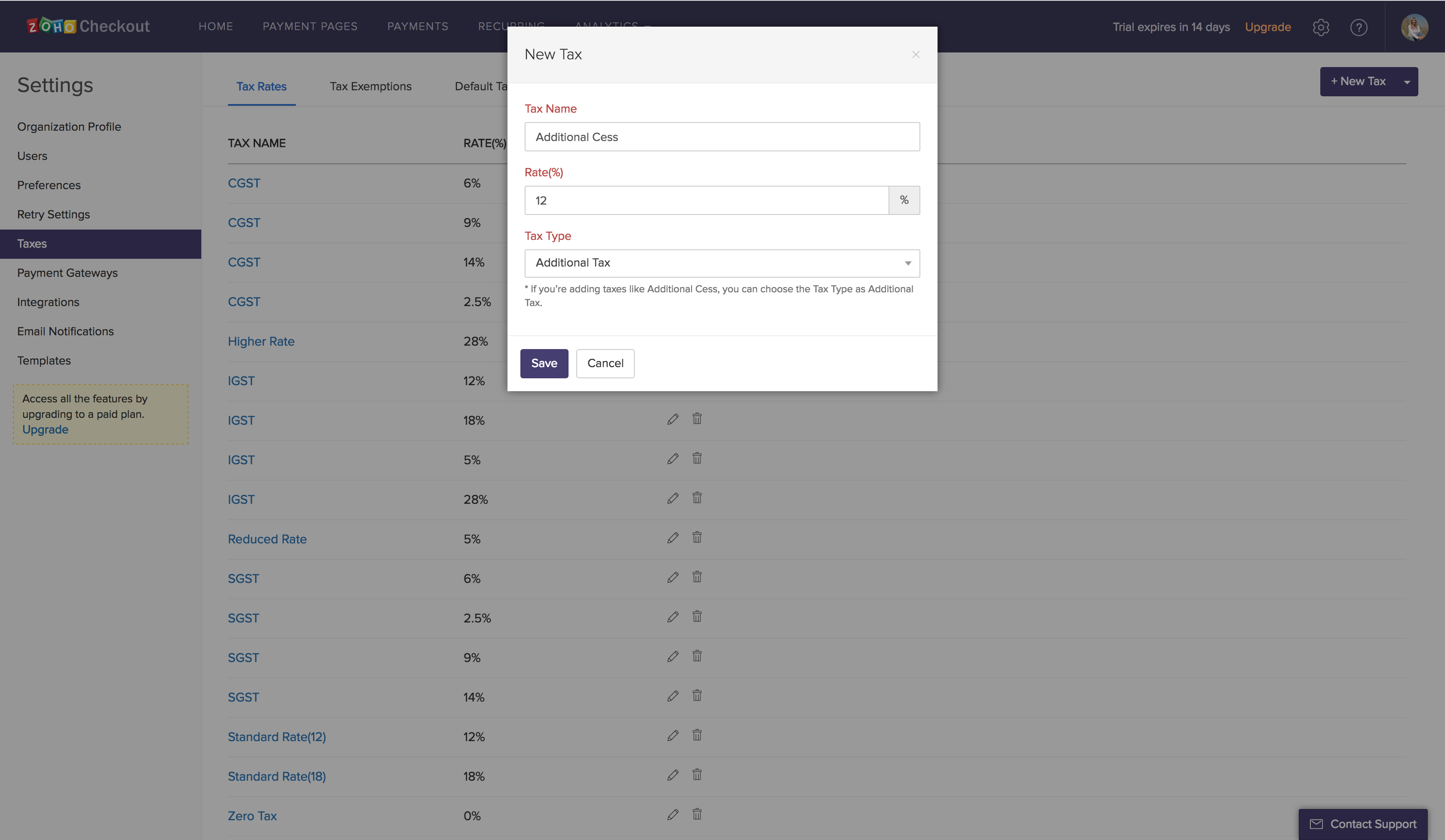
- Enter the Tax Name, Rate and Tax Type. If you’re creating a tax group, enter the Tax Group Name and select the Associated Tax.
- Click Save.
Insight If you’re adding tax rates for taxes like Additional Cess, you can choose the Tax Type as Additional Tax.
Based on the good/service you’re offering, you can configure your default tax preferences. This can be defined for both interstate and intrastate transactions.
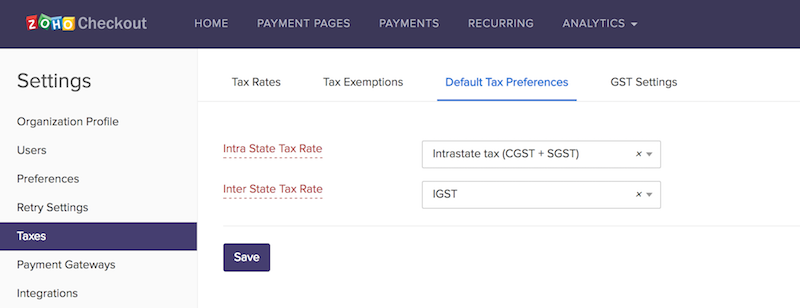
The next time you create a payment page, these tax preferences will automatically be applied. In case you’re selling some other item, you can decide to change the applicable tax from the dropdown.