
Does Zoho Checkout support discount coupons?
Yes, You can create multiple discount coupons and associate it to your payment pages. To create a coupon:
- Go to the Coupons tab on top of the page.
- Click + New Coupon button on the top right corner of the page. If you haven’t created any coupons yet, click Get Started.
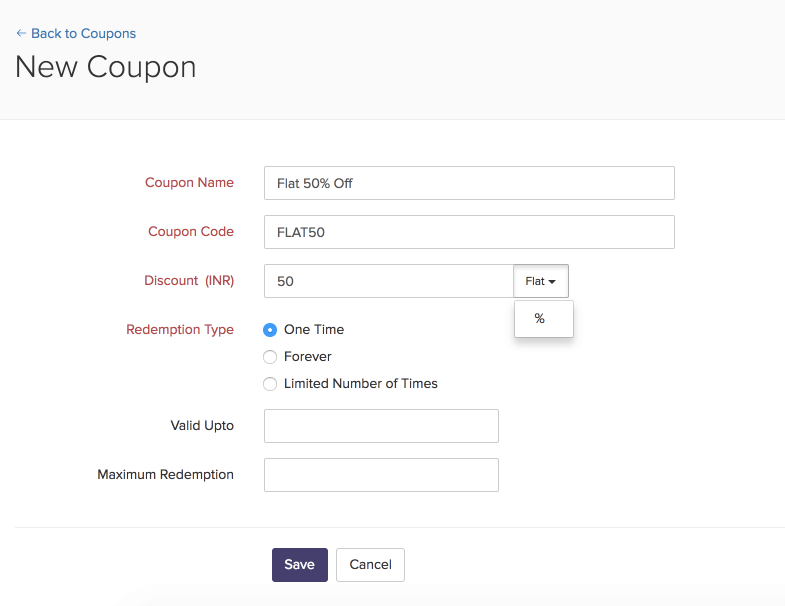
- Fill in the required details:
| Field | Description |
|---|---|
| Coupon Name | Name of the coupon. |
| Coupon Code | The code that your customers can use to avail the discount. |
| Discount | The discount that is applied. Can be a percentage of the total amount or a flat amount. |
| Redemption Type |
Know more. |
| Valid Upto | A date after which the coupon cannot be redeemed. |
| Maximum Redemption | A limit for the number of times the coupon can be redeemed. |
- Click Save.
- To know more about how to enable coupons on your payment pages, click here.